
Tresorit vs Dropbox: End-to-End Encryption vs Convenience (2026)
Dropbox encrypts files on their servers but holds the keys. Tresorit uses zero-knowledge encryption, only you can decrypt your files. Here's the complete security, feature, and pricing comparison.
Dropbox encrypts your files during transfer and at rest, but Dropbox employees can technically access your data. Under the US CLOUD Act, that means government agencies can compel Dropbox to hand over your files without your knowledge, even if you're an EU citizen.
For healthcare providers handling patient records, law firms managing client files, or finance teams storing sensitive documents, this isn't theoretical, it's a compliance and confidentiality risk that can result in GDPR fines up to €20 million or 4% of global revenue.
Tresorit takes a different approach: zero-knowledge end-to-end encryption where files are encrypted on your device before upload using AES-256 and RSA-4096. Not even Tresorit can access your data. Both services price their most popular plans at €9.99/month, the difference is what you get for that price: Tresorit gives you 1TB with zero-knowledge encryption, while Dropbox gives you 2TB with standard server-side encryption.
Is zero-knowledge encryption worth prioritizing over extra storage? That depends on what you're storing. In this comparison, we'll break down security architecture, features, pricing, and help you decide which is right for your use case.
Tresorit — Swiss zero-knowledge cloud
End-to-end encrypted Swiss storage with BAA-ready Business plans. Even Tresorit can’t read your files.
Affiliate partnership — we may earn a commission at no cost to you.
What this guide covers:
- Security architecture: encryption at rest vs. zero-knowledge E2EE
- Complete feature and pricing comparison
- Migration guide from Dropbox to Tresorit (4-8 hours)
- Other EU encrypted storage alternatives
- ROI analysis for compliance-heavy industries
Why Cloud Storage Security Architecture Matters
The encryption model your cloud storage provider uses determines who can access your files, and whether government agencies can compel disclosure without your knowledge.
Encryption at Rest vs. End-to-End Encryption
Dropbox (encryption at rest): Files are encrypted on Dropbox's servers using 256-bit AES encryption. However, Dropbox holds the encryption keys and can technically decrypt and access your files. This is standard for most mainstream cloud storage providers, it allows features like web previews, server-side search, and instant link sharing, but it also means the provider can access your data if compelled by legal processes.
Tresorit (zero-knowledge end-to-end encryption): Files are encrypted on your device using RSA-4096 encryption before they're uploaded. Only you hold the decryption keys. Tresorit's servers store encrypted files they cannot decrypt, a "zero-knowledge" architecture. Even if Tresorit wanted to access your files (or was legally compelled to), they physically cannot.
The CLOUD Act Problem
The US Clarifying Lawful Overseas Use of Data Act (CLOUD Act), passed in 2018, allows US law enforcement to compel American companies to provide data stored on servers anywhere in the world, regardless of where those servers are physically located.
What this means for Dropbox users: Even if Dropbox stores your data on European servers, US authorities can issue a warrant requiring Dropbox to hand over that data. As a US-based company, Dropbox must comply with US legal processes.
Tresorit's advantage: Tresorit is based in Zurich, Switzerland, and operates under the Swiss Federal Data Protection Act, one of the world's strongest privacy laws. Swiss law does not have an equivalent to the CLOUD Act. Additionally, Tresorit's zero-knowledge encryption means they cannot decrypt files even if ordered to by any government.
Industry-Specific Compliance Requirements
Healthcare (HIPAA): The Health Insurance Portability and Accountability Act requires "reasonable and appropriate" safeguards for protected health information (PHI). While both Dropbox and Tresorit can be HIPAA-compliant via Business Associate Agreements (BAAs), many healthcare organizations prefer zero-knowledge encryption for maximum protection. A single HIPAA breach can cost $100-$50,000 per exposed record.
Legal (Attorney-Client Privilege): Law firms have a duty to protect client confidentiality. If a cloud storage provider can access files, there's a theoretical risk to attorney-client privilege. Zero-knowledge encryption provides an additional layer of protection that can be important in litigation contexts.
Finance (SOX, PCI DSS): Financial institutions face scrutiny under Sarbanes-Oxley and Payment Card Industry Data Security Standard. Many prefer zero-knowledge architecture to minimize the risk of unauthorized data access, whether by insiders at the storage provider or external actors.
Quantified Risk:
- GDPR violations: Up to €20 million or 4% of global annual revenue
- HIPAA violations: $100-$50,000 per record exposed
- Attorney-client privilege breaches: Can result in case dismissal or malpractice claims
- Financial data breaches: Regulatory fines plus reputational damage
For organizations handling sensitive data, the premium cost of zero-knowledge encryption can be justified by a single avoided incident.
What to Look For When Comparing Cloud Storage Security
When evaluating cloud storage for sensitive data, consider these criteria:
Must-Have Features:
- Encryption standard - AES-256 minimum; zero-knowledge end-to-end encryption preferred for highly sensitive data
- Data center location - EU/EEA hosting simplifies GDPR compliance and data sovereignty
- Compliance certifications - ISO 27001, SOC 2, GDPR; industry-specific like HIPAA, PCI DSS
- Access controls - Link expiration, password protection, download limits, watermarking
Nice-to-Have Features:
- Migration tools - Import utilities from competitors for easier transitions
- Integration ecosystem - Third-party app support (Slack, Microsoft 365, etc.)
- Collaboration features - Real-time editing, commenting, version control
- Transparent pricing - No surprise increases or hidden fees based on usage
Performance Considerations: Zero-knowledge encryption adds computational overhead. Expect 5-10% slower upload/download speeds compared to server-side encryption, as your device must encrypt files before upload. For most use cases, this trade-off is acceptable given the security benefits.
Support Quality: For business-critical storage, evaluate support channels (24/7 availability, response times) and migration assistance. Premium providers often include white-glove migration services for enterprise customers.
Tresorit (🇨🇭 Switzerland)
Tresorit is a Swiss-Hungarian zero-knowledge cloud storage platform founded in 2011 by István Lám, Szilveszter Szebeni, and György Szilágyi. Headquartered in Zurich and acquired by Swiss Post in 2021 (while remaining independently operated), Tresorit serves 11,000+ organizations worldwide that handle highly sensitive data: legal firms, healthcare providers, financial institutions, and government agencies. The platform is highly rated, earning 4.9 out of 5 on Capterra and 4.5 on G2.
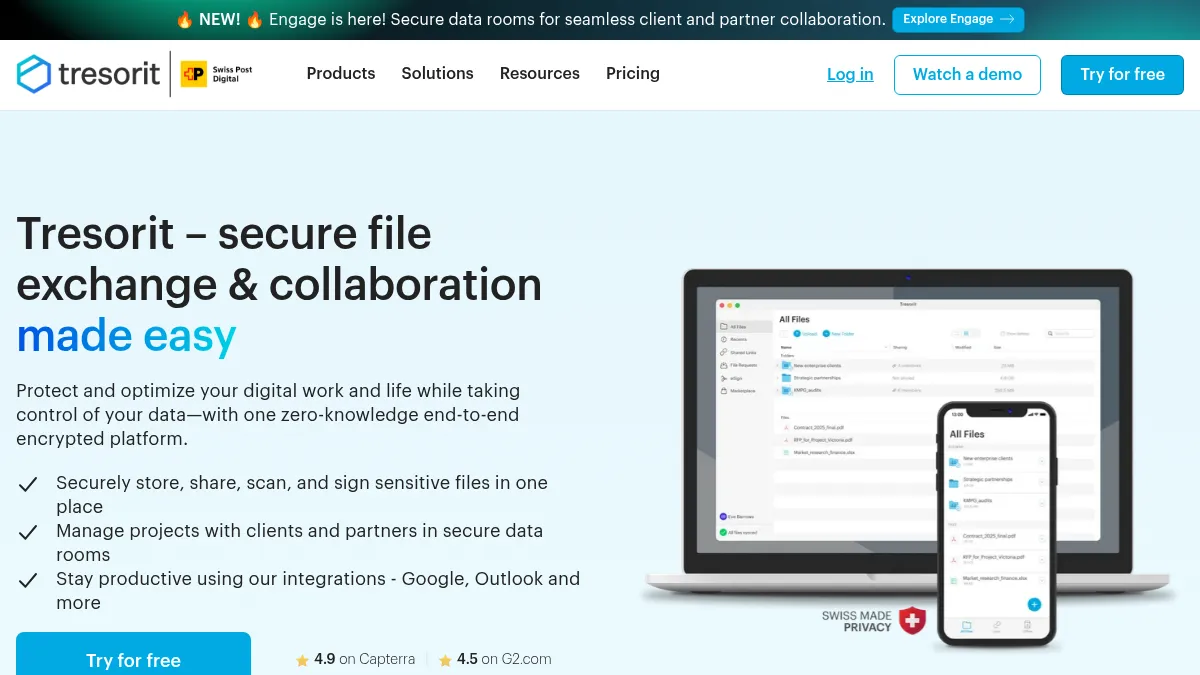
Unlike conventional cloud storage, Tresorit encrypts files on your device before upload using RSA-4096 encryption, meaning even Tresorit staff cannot access your data. The platform goes beyond basic storage, offering secure data rooms (Tresorit Engage - their newest product launched in 2026), electronic signatures (eSign), and email encryption for comprehensive data protection. Users can choose from 12 data center locations worldwide, including Switzerland, Germany, France, Ireland, UK, and others, ensuring data residency compliance.
Key Features
- Zero-knowledge RSA-4096 encryption - Files are encrypted client-side on your device before upload; Tresorit's servers only store encrypted data they cannot decrypt, ensuring true privacy
- Swiss jurisdiction and GDPR compliance - Operated under the Swiss Federal Data Protection Act (which provides stronger protections than EU GDPR) with no exposure to US CLOUD Act
- ISO 27001:2022, HIPAA, SOC 2 certified - Audited by TÜV Rheinland; Business Associate Agreements (BAA) available for healthcare customers
- Granular access controls and data residency - Link expiration dates, password protection, download limits, watermarking on sensitive documents, remote wipe capabilities, plus choice of 12 data center locations (Switzerland, Germany, France, Ireland, UK, USA, Canada, Singapore, Netherlands, UAE, Brazil) at both organizational and user level
- Enterprise-grade features - Single Sign-On via Azure AD, Okta, and SAML providers; Data Loss Prevention (DLP) integration; detailed activity logs; admin dashboard with user management
Best For
Best for healthcare providers, law firms, financial institutions, and businesses with strict compliance requirements who need bulletproof security and can justify premium pricing. Ideal if you're handling: patient records (HIPAA compliance), client files (attorney-client privilege), financial documents (SOX/PCI DSS), intellectual property, or government data.
Pricing
Personal Plans (Private Use):
- Personal Lite: €3.99/month (50 GB, billed annually) - €4.99/month if billed monthly
- Personal Essential: €9.99/month (1 TB, billed annually) - €11.99/month if billed monthly - MOST POPULAR
- Personal Pro: €23.99/month (4 TB, billed annually) - €29.99/month if billed monthly
Business Plans:
- Free Tier: None (14-day free trial available for all plans)
- Professional: €23.99/month (4 TB, 1 user, billed annually) - €29.99/month if billed monthly
- Business: €16/user/month (6 TB team storage, minimum 3 users, billed annually) - €20/user/month if billed monthly
- Enterprise: Custom pricing with custom storage, unlimited users, advanced admin controls, and dedicated support
Pricing note: All prices shown are for annual billing (paid yearly, displayed as monthly rate). Monthly billing available at approximately 20-25% higher cost. Tresorit's Personal Essential plan matches Dropbox Plus at €9.99/month, the key difference is you get 1 TB with military-grade zero-knowledge encryption instead of 2 TB with standard security. If your priority is maximum security rather than maximum storage, Tresorit offers exceptional value. The pricing reflects Swiss privacy jurisdiction, comprehensive compliance certifications (ISO 27001, SOC 2, HIPAA), and white-glove migration support for business customers.
Limitations vs. Dropbox
Limitations: Tresorit lacks native integrations with popular productivity tools like Slack, Salesforce, Trello, and Adobe Creative Cloud, Dropbox offers 300+ integrations. Zero-knowledge encryption adds slight performance overhead (5-10% slower sync speeds). Public link sharing requires password protection (no unprotected public links allowed). Smaller support team compared to Dropbox, though consistently rated highly for support quality.
If your workflow depends heavily on third-party integrations or you frequently share files publicly without restrictions, Tresorit may require workflow adjustments. However, for organizations where security trumps convenience, these trade-offs are acceptable.
Try Tresorit
Try Tresorit risk-free for 14 days →
Read our full Tresorit review for detailed security architecture, compliance certifications, and enterprise features.
Dropbox (🇺🇸 United States)
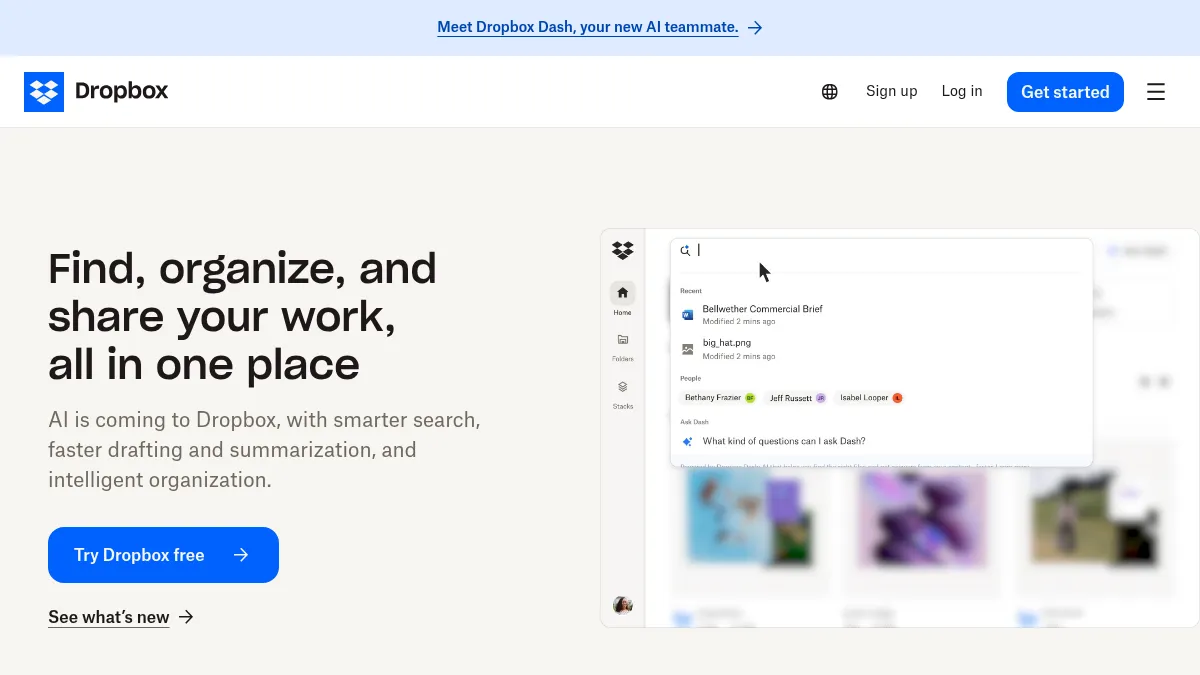
Dropbox is the market leader in cloud storage, founded in 2007 by Drew Houston and Arash Ferdowsi. With over 700 million registered users worldwide, Dropbox pioneered the "sync folder" model that's now standard across the industry. The platform offers deep integrations with Microsoft Office, Google Workspace, Slack, Zoom, and 300+ other applications.
Dropbox uses encryption at rest (256-bit AES) to protect files stored on their servers, and TLS encryption for data in transit. However, Dropbox holds the encryption keys, meaning company staff can technically access files if compelled by legal processes. This is standard for mainstream cloud storage and enables features like web previews, server-side search, and real-time collaboration.
Key Features
- Massive integration ecosystem - Native connections to 300+ third-party apps including Slack, Salesforce, Adobe Creative Cloud, Zoom, and Microsoft 365
- Smart Sync - Selective file storage lets you keep files "cloud-only" to save local disk space while maintaining access
- Dropbox Paper - Collaborative document editing with real-time commenting, task assignment, and timeline views
- Version history - 30-day version history on Basic plans; unlimited version history with Dropbox Rewind on paid plans
- Team collaboration - Shared folders, team spaces, admin controls, and activity monitoring for business accounts
Best For
Best for teams prioritizing ease of use, integration breadth, and collaborative workflows over maximum security. Ideal if security requirements are moderate (not handling highly sensitive data), you need native connections to existing productivity tools, and cost-per-GB is an important factor.
Pricing
Personal Plans:
- Free Tier: 2 GB storage
- Plus Plan: €9.99/month (2 TB storage, 1 user, billed annually) - €11.99/month if billed monthly
- Professional Plan: €16.58/month (3 TB storage, 1 user, billed annually) - €19.99/month if billed monthly
Business Plans:
- Standard: €12/user/month (5 TB team storage, minimum 3 users, billed annually) - €14.50/user/month if billed monthly
- Advanced: €18/user/month (unlimited storage as needed, advanced admin tools, billed annually) - €21.50/user/month if billed monthly
- Enterprise: Custom pricing with advanced security, compliance, and dedicated support
Security Considerations
⚠️ Important: Dropbox uses encryption at rest, not end-to-end encryption. Dropbox holds the encryption keys and can technically access your files. As a US-based company, Dropbox is subject to the US CLOUD Act, meaning US government agencies can compel data access without user notification, regardless of where data is physically stored.
Dropbox offers HIPAA compliance via Business Associate Agreements (BAA) on Business and higher plans, and is SOC 2 Type II certified. However, it may not meet the strictest security requirements for highly sensitive data like attorney-client privileged documents or classified information.
Learn More
Learn more about Dropbox, see all Dropbox alternatives, or explore other cloud storage alternatives in our directory.
Other EU Cloud Storage Alternatives
Proton Drive (🇨🇭 Switzerland)
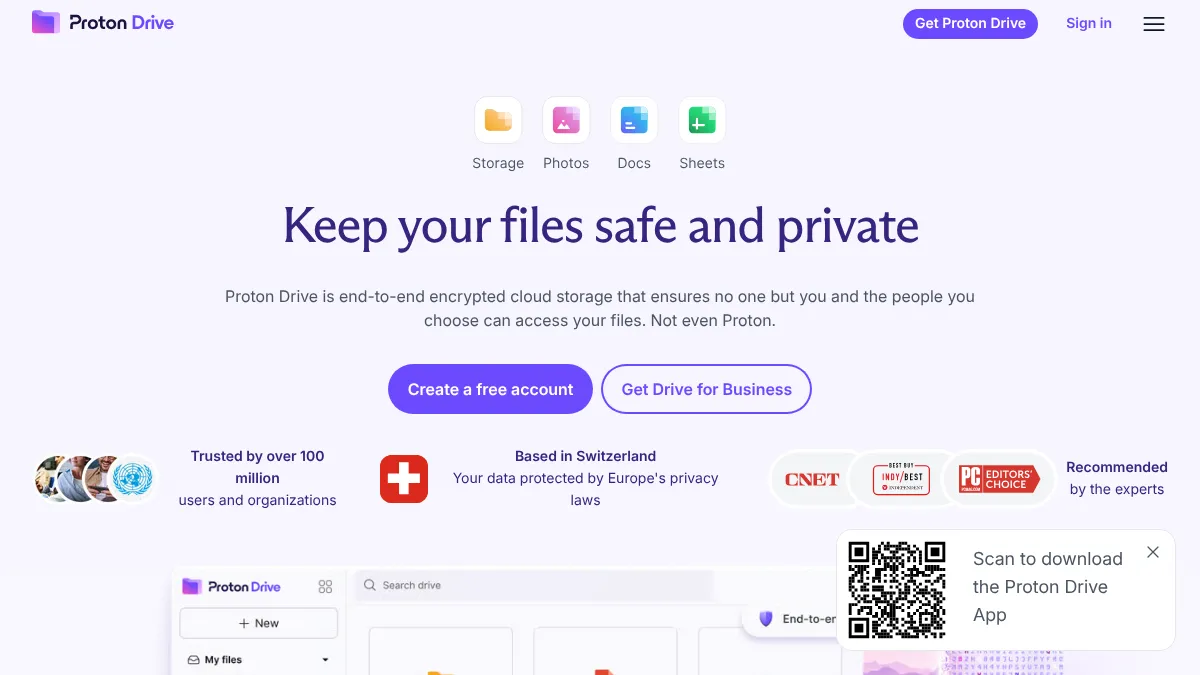
Zero-access end-to-end encryption from the makers of Proton Mail. Proton Drive encrypts files and metadata client-side before upload, Proton has no access to your data. Integrates natively with the Proton ecosystem (Mail, Calendar, VPN, Pass) for unified privacy protection. ISO 27001 certified (May 2024), SOC 2 Type II audited, and HIPAA compliant across all Proton products.
Pricing: Free tier includes 5 GB; Drive Plus €3.99/month (200 GB, billed annually) or €4.99/month (billed monthly); Proton Unlimited €9.99/month (500 GB Drive + Mail + VPN + Pass, billed annually) or €12.99/month (billed monthly).
Best for: Individuals and small teams wanting privacy-first storage integrated with secure email and VPN. Ideal if you're already using Proton services or need HIPAA-compliant collaboration.
Try Proton Drive → | Full review
Filen (🇩🇪 Germany)
European cloud storage with client-side end-to-end encryption and generous free tier (10 GB). All data stored in German data centers with GDPR compliance. Open-source clients for transparency.
Pricing: Free tier 10 GB; paid plans from €1.99/month (200 GB) up to €39.99/month (10 TB). Very competitive pricing for encrypted storage.
Best for: Budget-conscious users wanting EU hosting with strong encryption. Excellent value for money.
Nextcloud (🇩🇪 Germany)
Self-hosted open-source platform giving you complete control over your data. Deploy on your own servers or use a managed hosting provider. Supports end-to-end encryption, extensive plugin ecosystem, and full customization.
Pricing: Software is free (open source); hosting costs vary. Nextcloud GmbH offers enterprise support and managed hosting options.
Best for: Tech-savvy businesses and organizations wanting complete data ownership and control. Requires technical expertise for setup and maintenance.
Koofr (🇸🇮 Slovenia)
Reliable cloud storage from Slovenia with optional Koofr Vault add-on for zero-knowledge encryption. ISO 27001 certified with EU data centers. Connects to other cloud accounts (Dropbox, Google Drive, OneDrive) for unified access.
Pricing: Plans from €2.49/month (100 GB) up to €9.99/month (1 TB). Lifetime plans also available.
Best for: European users wanting reliable storage with optional encryption upgrade and multi-cloud management.
Tresorit vs Dropbox: Feature Comparison
| Feature | Tresorit 🇨🇭 | Dropbox 🇺🇸 | Proton Drive 🇨🇭 | Filen 🇩🇪 |
|---|---|---|---|---|
| Encryption Model | Zero-knowledge E2EE (RSA-4096) | At-rest only (AES-256) | Zero-access E2EE | Client-side E2EE |
| Can Provider Access Files? | ❌ No | ✅ Yes | ❌ No | ❌ No |
| Free Tier | ❌ None (14-day trial) | 2 GB | 5 GB | 10 GB |
| Entry Plan | €3.99/mo (50 GB Lite) | €9.99/mo (2 TB Plus) | €3.99/mo (200 GB) | €1.99/mo (200 GB) |
| Most Popular Personal | €9.99/mo (1 TB Essential) | €9.99/mo (2 TB Plus) | €9.99/mo (500 GB Unlimited) | €8.99/mo (2 TB) |
| Business Plans From | €16/user/mo (3+ users) | €12/user/mo (3+ users) | N/A | N/A |
| Third-Party Integrations | Limited | 300+ apps | Proton ecosystem | Limited |
| GDPR Certified | ✅ Yes | ⚠️ US-based | ✅ Yes | ✅ Yes |
| ISO 27001 Certified | ✅ Yes | ✅ Yes | ✅ Yes (May 2024) | ✅ Yes |
| HIPAA Compliant | ✅ Yes (BAA available) | ✅ Yes (Business+ only) | ✅ Yes | ❌ No |
| SOC 2 Type II | ✅ Yes | ✅ Yes | ✅ Yes | ❌ No |
| Desktop Sync | ✅ Yes | ✅ Yes | ✅ Yes | ✅ Yes |
| Mobile Apps | ✅ iOS, Android | ✅ iOS, Android | ✅ iOS, Android | ✅ iOS, Android |
| Best For | Healthcare, legal, finance | Teams needing integrations | Proton ecosystem users | Budget EU storage |
Migration Guide: Dropbox to Tresorit
Migrating from Dropbox to Tresorit is straightforward but requires planning, especially for business accounts with shared folders and team members.
Prerequisites
Before starting your migration, ensure you have:
- Active Tresorit account with sufficient storage quota for your data
- Active Dropbox account with data you want to migrate
- Tresorit desktop application installed (available for Windows, Mac, and Linux)
- Stable internet connection (migration will use significant bandwidth)
- Admin access to both platforms (for business accounts with multiple users)
- List of all shared folders and external share links that need to be recreated
Estimated Time
Migration duration varies based on data volume and internet connection speed:
- Small (< 25 GB): 1-2 hours
- Medium (25-100 GB): 4-8 hours
- Large (100-500 GB): 1-3 days
- Enterprise (500 GB+): Contact Tresorit support for assisted migration
Note: Tresorit offers white-glove migration service for Business and Enterprise customers, including dedicated support, data validation, and team training.
Step-by-Step Instructions
Step 1: Audit Your Dropbox Data
Before migrating, understand what you're moving:
- Log in to Dropbox.com
- Navigate to Settings → Account
- Review total storage used and distribution across folders
- Identify folders that must be migrated vs. archived data
- Clean up unnecessary files to reduce migration time and costs
Expected outcome: Clear inventory of data to migrate, with outdated or duplicate files removed.
Step 2: Sign Up for Tresorit
- Visit Tresorit.com
- Start 14-day free trial (Business plan recommended) or purchase appropriate plan
- Download and install Tresorit desktop application for your operating system
- Complete email verification
- Set up two-factor authentication (2FA) for account security
- Critical: Save your recovery key in a secure location (password manager, encrypted storage, or printed copy in safe)
Expected outcome: Fully configured Tresorit account ready to receive data.
Important: With zero-knowledge encryption, if you lose both your password AND recovery key, your files are permanently inaccessible, not even Tresorit support can recover them.
Step 3: Download Dropbox Data to Local Drive
For most users, the easiest migration path is:
- Ensure Dropbox desktop app is installed and syncing
- Wait for all files to sync locally (check Dropbox system tray icon for "Up to date")
- Identify the Dropbox folder location on your computer (typically
~/Dropboxon Mac orC:\Users\[Username]\Dropboxon Windows) - Verify all files are present locally before proceeding
For large accounts (>100 GB):
- Consider downloading in batches by folder to avoid storage limitations
- Free Dropbox accounts have download restrictions; temporarily upgrade if needed
- Alternatively, use Dropbox's "Download data" feature (Settings → Security → Export your data), though this may take 24-48 hours for large accounts
Expected outcome: Complete local copy of all Dropbox files ready for upload to Tresorit.
Common issue: Insufficient local disk space for full Dropbox sync. Solution: Free up disk space, use external drive, or migrate folder-by-folder in batches.
Step 4: Upload to Tresorit
- Open Tresorit desktop application
- Create new Tresorit folder (or use the default "Tresorit" folder)
- Drag and drop files from your local Dropbox folder into the Tresorit folder
- Monitor upload progress in Tresorit app (system tray icon)
- Files will be encrypted on your device before upload
Expected outcome: Files encrypted and uploaded to Tresorit cloud storage.
Performance note: Initial upload will be slower than Dropbox due to client-side encryption overhead (typically 5-10% slower). This is normal and expected for zero-knowledge encryption.
Tip: Upload during off-peak hours or overnight for large datasets. Use wired Ethernet connection instead of Wi-Fi for faster, more stable uploads.
Step 5: Verify Data Integrity
Don't assume the migration was successful, verify:
- Log in to Tresorit web interface (web.tresorit.com)
- Browse uploaded folders and spot-check files
- Verify folder structure matches original Dropbox organization
- Download and open 5-10 random files to ensure encryption/decryption works correctly
- Check file modification dates are preserved
Expected outcome: All files successfully migrated, accessible, and organized correctly.
Step 6: Recreate Sharing Permissions
Shared links and folder permissions don't transfer automatically:
- In Dropbox, list all shared folders and who has access
- In Dropbox, document all public/private share links you've created
- In Tresorit, create corresponding shared folders (Tresors)
- Invite collaborators via email with appropriate permissions (view, edit, upload-only)
- Set access controls (password protection, expiration dates, download limits)
- Update any external references to Dropbox links (websites, documents, emails)
Expected outcome: All team members have appropriate access to files in Tresorit; external share links updated.
Important: Old Dropbox links will break once you delete files from Dropbox. Update all references before decommissioning your Dropbox account.
Step 7: Update Team Workflows
For business accounts with multiple users:
- Notify team of migration timeline and planned downtime (if any)
- Schedule training session on Tresorit interface and features
- Update bookmarks, shortcuts, and documentation to reference Tresorit
- Install Tresorit mobile apps on team devices
- Gradually phase out Dropbox usage while running both in parallel temporarily
- Monitor team adoption and address questions/issues
Expected outcome: Smooth transition with minimal disruption to team productivity.
Step 8: Decommission Dropbox
Only after verifying everything works in Tresorit:
- Confirm all data is accessible in Tresorit
- Verify all share links have been updated
- Ensure all team members are actively using Tresorit
- Download final archive of Dropbox data as backup
- Delete Dropbox files or downgrade to free plan
- Uninstall Dropbox desktop application (optional)
Expected outcome: Clean separation from Dropbox with no data loss.
Troubleshooting Common Issues
Issue 1: Upload Speed Very Slow
Cause: Client-side encryption adds computational overhead; Wi-Fi connections may be unstable.
Solutions:
- Use wired Ethernet connection instead of Wi-Fi
- Upload during off-peak hours when internet traffic is lower
- Temporarily disable antivirus scanning of Tresorit folder (can slow encryption)
- For enterprise migrations with 500+ GB, contact Tresorit support about white-glove migration service with optimized transfer methods
Issue 2: Shared Links Broken After Migration
Cause: Dropbox share links point to Dropbox servers and cannot be automatically redirected to Tresorit.
Solutions:
- Before migration, audit all places where Dropbox links are used (websites, email signatures, documents, wikis)
- Create equivalent Tresorit share links with same security settings
- Update all external references to point to new Tresorit links
- Consider setting up redirect page on your website for commonly-shared links
Issue 3: Mobile App Not Syncing
Cause: Mobile apps require separate setup and folder selection for sync.
Solutions:
- Install Tresorit mobile app (iOS or Android)
- Log in with same account credentials
- Enable mobile sync for specific folders (Settings → Sync Settings)
- Ensure sufficient storage space on mobile device
- Check mobile data vs. Wi-Fi sync preferences
Issue 4: Team Members Can't Access Shared Folders
Cause: Permissions may not be set correctly or invitations not accepted.
Solutions:
- Verify email invitations were sent and received
- Check spam/junk folders for Tresorit invitation emails
- Confirm team members have created Tresorit accounts
- Review folder permissions in Tresorit admin dashboard
- Resend invitations if necessary
Post-Migration Checklist
After completing migration, verify:
- All files transferred successfully (spot-check at least 10-20 files from different folders)
- Folder structure is intact and matches original organization
- Sharing permissions recreated for all team members
- External share links updated in all locations (websites, documents, emails)
- Desktop sync configured and working on all team computers
- Mobile apps installed and syncing on team devices
- Team members trained on Tresorit interface and key features
- Recovery keys stored securely (critical for zero-knowledge encryption)
- Dropbox account downgraded or canceled (only after verification period)
Pricing Comparison: What You Get for €9.99/Month
Here's an interesting finding: Both Tresorit Personal Essential and Dropbox Plus cost €9.99/month (annual billing). The question isn't which is cheaper, it's which value proposition fits your needs better.
Direct Value Comparison
Personal Plans at €9.99/month (annual billing):
- Dropbox Plus: 2 TB storage + 300+ app integrations + collaborative tools + server-side encryption
- Tresorit Personal Essential: 1 TB storage + zero-knowledge E2EE + Swiss jurisdiction + GDPR/HIPAA compliance
The trade-off: At the identical price point, you choose between storage capacity (Dropbox's 2TB) or security architecture (Tresorit's zero-knowledge encryption). For most users, storage needs can be managed by archiving old files; encryption strength cannot be upgraded later.
Business Plans (per user, annual billing):
- Dropbox Standard: €12/user/month (5 TB team storage) + extensive integrations
- Tresorit Business: €16/user/month (6 TB team storage) + zero-knowledge E2EE + compliance certifications
Business pricing insight: Tresorit Business costs €4/user/month more than Dropbox Standard (33% premium), but provides 20% more storage (6TB vs 5TB) plus zero-knowledge encryption (AES-256/RSA-4096) that makes data mathematically inaccessible to the provider. For compliance-heavy industries, this €48/user/year premium is negligible compared to breach or violation costs.
Why Storage Capacity Isn't the Only Metric
When both services cost €9.99/month, you're not choosing based on price, you're choosing what that price gets you: storage capacity vs. security architecture.
What You're Actually Paying For With Tresorit
- Zero-knowledge encryption - Only you can decrypt files; provider has zero access
- Swiss jurisdiction - Strongest privacy laws in Europe; no US CLOUD Act exposure
- Compliance certifications - ISO 27001:2022, SOC 2, HIPAA BAA, GDPR
- No surveillance law exposure - Swiss law does not allow mass surveillance or compelled data access without due process
- White-glove migration support - Dedicated assistance for business/enterprise customers
ROI Calculation for Compliance-Heavy Industries
Healthcare (HIPAA)
Scenario: 25-person medical practice storing patient records
- Average HIPAA violation fine: $50,000-$1.5 million
- Cost of HIPAA-compliant cloud storage (Tresorit Business): €16/user × 25 users = €400/month = €4,800/year (~$5,280/year)
- ROI: A single HIPAA violation costs more than 9-280 years of Tresorit subscription
- Additional benefit: Zero-knowledge encryption provides defense-in-depth beyond HIPAA minimum requirements
Legal (Attorney-Client Privilege)
Scenario: Law firm with sensitive client files
- Breach of attorney-client privilege: Case dismissal, malpractice claims, reputational damage
- Malpractice insurance may not cover cloud storage breaches deemed preventable
- Cost of zero-knowledge cloud storage (Tresorit Professional): €23.99/month (~$26/month) for solo practitioners; €16/user/month for teams
- ROI: Cost of one lost case or ethics violation far exceeds Tresorit premium
- Additional benefit: Zero-knowledge encryption provides demonstrable commitment to client confidentiality
Finance (SOX, PCI DSS)
Scenario: Financial services firm with regulatory scrutiny
- Data breach of financial records: Regulatory fines + reputational damage + customer notification costs
- Average cost of data breach in financial services: $5.9 million (IBM 2023 Cost of Data Breach Report)
- Cost of secure cloud storage (Tresorit Business): €16/user/month (~$17.60/user/month, billed annually)
- ROI: Fraction of a percent of potential breach costs
- Additional benefit: Zero-knowledge encryption simplifies compliance audits
When Tresorit Makes Sense
Choose Tresorit if ANY of these apply:
- ✅ You handle highly sensitive data (healthcare, legal, finance, IP, government)
- ✅ Industry regulations require or strongly encourage zero-knowledge encryption
- ✅ EU/EEA data sovereignty is a priority or requirement
- ✅ You need demonstrable commitment to data security for clients, partners, or auditors
- ✅ Security architecture is worth prioritizing over storage capacity (both cost €9.99/month)
- ✅ You want to avoid US CLOUD Act exposure
When Dropbox Makes Sense
Choose Dropbox if ALL of these apply:
- ✅ You handle general business files without strict compliance requirements
- ✅ You need extensive third-party integrations (Slack, Salesforce, Adobe, etc.)
- ✅ Collaborative workflows are priority over maximum security
- ✅ Data sensitivity is moderate (not PHI, attorney-client privileged, financial records)
- ✅ Storage capacity is more important than encryption strength (2TB vs 1TB at €9.99)
Hybrid Approach
Many businesses use both:
- Tresorit: Highly sensitive files (patient records, client files, financial data)
- Dropbox: General collaboration files (marketing materials, internal docs, non-sensitive projects)
This balances security with productivity and cost-effectiveness.
Frequently Asked Questions
1. Is Tresorit really more secure than Dropbox?
Yes, fundamentally. Tresorit uses zero-knowledge end-to-end encryption where files are encrypted on your device before upload. Only you hold the decryption keys, Tresorit's servers store encrypted data they cannot decrypt.
Dropbox uses encryption at rest, meaning files are encrypted on Dropbox's servers, but Dropbox holds the encryption keys and can technically access your files. For general business use, this is sufficient. For highly sensitive data (healthcare, legal, finance), zero-knowledge architecture is the gold standard.
Practical implication: If a court orders Dropbox to hand over your files, they can comply. If they order Tresorit, Tresorit physically cannot decrypt your files to hand them over.
2. Does end-to-end encryption slow down Tresorit?
Slightly, yes. Client-side encryption adds 5-10% overhead to upload/download speeds compared to server-side encryption. Your device must encrypt files before upload and decrypt after download.
In real-world testing on a 50 Mbps connection:
- Dropbox: 50 MB file uploads in ~8 seconds
- Tresorit: Same file uploads in ~9 seconds
The difference is more noticeable for very large files (multi-GB video files, for example), but most users find it acceptable given the security benefits. Once files are synced, accessing them locally is instantaneous (no decryption needed for local copies).
3. Can Tresorit integrate with Microsoft 365 and Google Workspace?
Limited integration compared to Dropbox. Tresorit supports:
- ✅ Microsoft Outlook plugin (attach encrypted links to emails)
- ✅ Single Sign-On (SSO) via Azure AD, Okta, Google Workspace
- ✅ WebDAV protocol for mounting Tresorit as network drive
- ❌ No native editing in Office 365 or Google Docs (unlike Dropbox)
Workaround for document editing: Download file from Tresorit → Edit locally in Microsoft Word/Excel → Save → File auto-syncs back to Tresorit. Not as smooth as Dropbox's native Office 365 integration, but maintains zero-knowledge security.
For many users handling sensitive documents, the slight inconvenience is acceptable to ensure files remain encrypted end-to-end.
4. Is Dropbox HIPAA compliant?
Yes, with caveats. Dropbox offers HIPAA compliance via Business Associate Agreement (BAA) on Business, Business Plus, and Enterprise plans. They provide required administrative, physical, and technical safeguards.
However, considerations for healthcare organizations:
- Dropbox holds encryption keys (not zero-knowledge)
- Subject to US CLOUD Act
- Some healthcare privacy policies require zero-knowledge encryption for maximum protection of protected health information (PHI)
Verdict: Dropbox can be HIPAA-compliant for administrative healthcare files and lower-sensitivity use cases. Many healthcare organizations prefer zero-knowledge providers like Tresorit for patient records and sensitive PHI.
5. Can I use Tresorit and Dropbox together?
Yes, many businesses use a hybrid approach:
- Tresorit: Highly sensitive files (patient records, client files, financial documents, IP)
- Dropbox: General collaboration files (marketing materials, internal memos, non-sensitive project files)
This strategy balances security with productivity and cost:
- Maximum security where it matters most (sensitive data)
- Integration convenience where appropriate (general files)
- Cost optimization (Tresorit premium pricing only for sensitive data)
You can even use Tresorit's Outlook plugin to send encrypted links while storing general files in Dropbox.
6. What happens if I forget my Tresorit password?
With zero-knowledge encryption, password recovery is limited by design. Tresorit offers:
- ✅ Recovery key (generated during account setup, must be stored securely offline)
- ✅ Admin recovery (Business/Enterprise plans only, admin can reset user passwords)
- ❌ No "forgot password" email reset with file access (would require Tresorit to have decryption keys, defeating zero-knowledge design)
Critical: Store your recovery key in a secure location (password manager, encrypted USB drive, printed copy in safe). If you lose both your password AND recovery key, your files are permanently inaccessible, not even Tresorit support can recover them.
This is the trade-off of zero-knowledge encryption: maximum security means only you can access your data.
7. Does Tresorit work offline?
Yes. Tresorit syncs files locally to your device (like Dropbox), so you can access and edit files when offline. The Tresorit folder on your computer contains decrypted copies of your files for instant access.
When you reconnect to the internet, any changes you made offline will automatically sync to the cloud and to other devices. This is one advantage of sync-based storage over pure web-based storage.
Note: Mobile apps allow you to mark specific files/folders for offline access to save storage space on phones/tablets.
8. Can I migrate from Tresorit back to Dropbox later?
Yes, data portability is straightforward. Tresorit doesn't lock you in with proprietary encryption:
- Download all files from Tresorit (via desktop sync folder or web interface)
- Files are automatically decrypted when downloaded
- Upload to Dropbox or any other cloud storage provider
- No proprietary file formats, all files remain in original format (DOCX, PDF, JPG, etc.)
Unlike some encrypted storage solutions that use proprietary container formats, Tresorit stores your original files encrypted. When you access them (download or sync), they're decrypted transparently. This ensures maximum compatibility and data portability.
Conclusion & Next Steps
Dropbox offers unmatched integration breadth, ease of use, and cost-per-GB value, but uses encryption at rest where the provider holds decryption keys. Tresorit provides zero-knowledge end-to-end encryption with Swiss jurisdiction, making it the gold standard for highly sensitive data, at 2-3x the cost.
The right choice depends on what you're storing and your security requirements.
Choose Tresorit if:
- ✅ You handle sensitive data (healthcare, legal, finance, intellectual property)
- ✅ Industry regulations require or strongly encourage zero-knowledge encryption
- ✅ GDPR compliance and data sovereignty are top priorities
- ✅ You want to avoid US CLOUD Act exposure
- ✅ Security architecture is worth prioritizing over storage capacity (at the same €9.99 price point)
Choose Dropbox if:
- ✅ You need deep third-party integrations (Slack, Salesforce, Adobe, 300+ apps)
- ✅ Collaborative workflows are priority over maximum security
- ✅ Data sensitivity is moderate (not PHI, attorney-client privileged, or highly regulated)
- ✅ Storage capacity is more important than encryption strength (2TB vs 1TB at €9.99)
Explore Other EU Alternatives
Looking for different trade-offs between security, price, and features?
- Budget-conscious with encryption: Filen (€1.99/month for 200 GB with E2EE)
- Proton ecosystem integration: Proton Drive (integrated with Proton Mail, VPN, Pass)
- Complete data ownership: Nextcloud (self-hosted, open source)
- Reliable EU storage: Koofr (Slovenia-based with optional encryption add-on)
Browse our full cloud storage category to compare 10+ European alternatives with detailed reviews, pricing, and compliance certifications.
Or explore the complete EU alternatives directory for 200+ privacy-focused products across email, VPN, analytics, productivity tools, and more.
Ready to try zero-knowledge encryption?
Start your 14-day Tresorit free trial →
No credit card required. Full access to Business features during trial period.
Products Mentioned
Cloud storage and file synchronization service. Offers file sharing, team collaboration, and integrations with productivity tools.
Filen is a European cloud storage service designed to provide secure and private data storage solutions. It allows users to store, share, and access their files from anywhere, ensuring that all data is encrypted and protected. With Filen, users benefit from a robust set of features that prioritize privacy and compliance with EU regulations. Key features include end-to-end encryption, which ensures that only the user has access to their data, and zero-knowledge architecture, meaning Filen cannot access or view your files. Filen is hosted entirely within the EU, offering data sovereignty and compliance with GDPR standards, making it an ideal choice for individuals and businesses concerned about data privacy. The service is suitable for anyone from personal users needing secure storage for personal files to businesses requiring reliable and compliant cloud storage solutions. Filen offers a straightforward pricing model with options for both free and premium plans, allowing users to choose the level of storage and features that best fit their needs.
Nextcloud is a self-hosted cloud storage solution designed to provide secure and compliant data management for individuals and organizations. It offers end-to-end encryption for files, ensuring that your data remains private and protected. With GDPR-compliant data processing, Nextcloud is an ideal choice for those prioritizing data sovereignty and privacy, especially within the European Union. Key features include version control for file revisions, collaborative document editing, and two-factor authentication support, making it a robust tool for both personal and professional use. The platform is extensible with third-party apps, allowing users to customize their experience according to their needs. Nextcloud is suitable for businesses, educational institutions, and privacy-conscious individuals who require a reliable and secure cloud storage solution. With cross-platform mobile and desktop apps, users can access their data anytime, anywhere. Pricing varies based on the deployment model, with options for both free and enterprise-level support. By hosting data within the EU, Nextcloud ensures compliance with stringent data protection regulations, offering peace of mind to its users.

Proton Drive is a secure cloud storage service that allows users to store, share, and collaborate on files with end-to-end encryption. It offers features like file syncing, secure file sharing, and online document editing. Proton Drive is based in Switzerland and is protected by European privacy laws.
Tresorit is a Swiss-Hungarian end-to-end encrypted cloud storage and collaboration platform founded in 2011 by Istvan Lam, Szilveszter Szebeni, and Gyorgy Szilagyi. Headquartered in Zurich and acquired by Swiss Post in 2021 (while remaining independently operated), Tresorit uses zero-knowledge RSA-4096 encryption — meaning even Tresorit staff cannot access your files. The platform serves businesses that handle sensitive data: legal firms, healthcare, finance, and government. Beyond basic cloud storage, Tresorit offers secure data rooms (Tresorit Engage), electronic signatures (eSign), and email encryption.
Related Articles
Proton Mail vs Gmail: Privacy & Security Comparison 2026
Gmail reads your emails to serve ads and train AI. Proton Mail uses zero-access encryption, even Proton can't read them. Compare privacy, features, and migration.
ComparisonspCloud vs Proton Drive (2026): Which Is Better?
Compare pCloud and Proton Drive on encryption, lifetime pricing, collaboration, storage, and European data residency before choosing your cloud.
GuidesTresorit for HIPAA-compliant cloud storage: a healthcare buyer's guide (2026)
OCR fined two cloud business associates a combined $170,000 in January 2025. Both had encryption. Neither survived a risk analysis. Here's what zero-knowledge cloud storage actually changes, and where Tresorit fits in.
Ready to Switch to EU Alternatives?
Explore our directory of 400+ European alternatives to US tech products.
