
Proton Mail vs Gmail: Privacy & Security Comparison 2026
Gmail reads your emails to serve ads and train AI. Proton Mail uses zero-access encryption, even Proton can't read them. Compare privacy, features, and migration.
Gmail reads your emails to serve ads and train AI. Proton Mail can't read them even if they wanted to.
Google's business model is built on data collection. Gmail scans email content for Smart Features, shares data with third-party apps (with your permission), and stores everything on US servers accessible under the CLOUD Act. For EU users or anyone handling sensitive communications, this creates privacy and compliance risks that most people don't think about until it's too late.
Proton Mail uses end-to-end encryption under Swiss jurisdiction, meaning even Proton can't access your emails. With over 100 million users worldwide, it's a proven privacy-first alternative. But it comes with trade-offs compared to Gmail: a smaller free tier (1 GB vs 15 GB), slower search speeds, and limited integration with other services. This guide compares both services across privacy, features, pricing, and migration difficulty to help you decide if the switch is worth it.
How Gmail Handles Your Email Data
Let's be clear about what Gmail is: a free email service subsidized by Google's advertising business. While Google stopped scanning emails for ad targeting in 2017, they still analyze your email content for Smart Features like auto-replies, travel itineraries, and package tracking.
What Google Can See: Every email you send or receive passes through Google's servers unencrypted. Google encrypts emails in transit (between you and their servers) and at rest (stored on their servers), but Google holds the encryption keys. This means Google employees with appropriate access can technically read your emails, and government agencies can request access with a warrant.
Smart Features and Data Collection: Gmail's "helpful" features, Smart Compose, Smart Reply, automatic calendar events, require Google to analyze your email content. While this data isn't used for ad personalization anymore (as of 2017), it's still processed by Google's AI systems. You can disable Smart Features in settings, but the default is enabled.
Third-Party App Access: A 2018 Wall Street Journal investigation found that hundreds of third-party apps were reading Gmail users' emails. Google allows developers to request Gmail API access, and if you've ever clicked "Continue with Google" on an app, you may have granted permissions you've forgotten about. While Google claims to vet developers, the sheer number of apps with access creates privacy risks.
Data Retention: Gmail stores your emails forever unless you manually delete them. Even deleted emails sit in your trash for 30 days. This permanent storage means a complete history of your communications exists on Google's servers, vulnerable to data breaches, government requests, or future policy changes.
Government Data Requests: Google's transparency report shows they receive thousands of government data requests each year. In 2023, Google provided data in response to 82% of US government requests. Under the CLOUD Act (Clarifying Lawful Overseas Use of Data Act), US authorities can request data from Google without going through EU judicial processes, even if you're an EU citizen and your data is stored in an EU data center.
GDPR Compliance Alert: Under the CLOUD Act, US companies can be compelled to provide data to US authorities without EU judicial oversight, even if the data is stored in EU data centers. This creates compliance challenges for GDPR-regulated businesses using Gmail.
GDPR Compliance Concerns: While Google offers GDPR-compliant configurations for businesses (via Google Workspace with data processing agreements), standard Gmail users are subject to Google's terms, which involve data processing in the United States. The 2020 Schrems II ruling invalidated the EU-US Privacy Shield, raising questions about whether data transfers to US tech companies comply with GDPR.
How Proton Mail Works Differently

Proton Mail was founded in 2013 at CERN by scientists who wanted to create an email service where privacy was technically enforced, not just promised in a policy document.
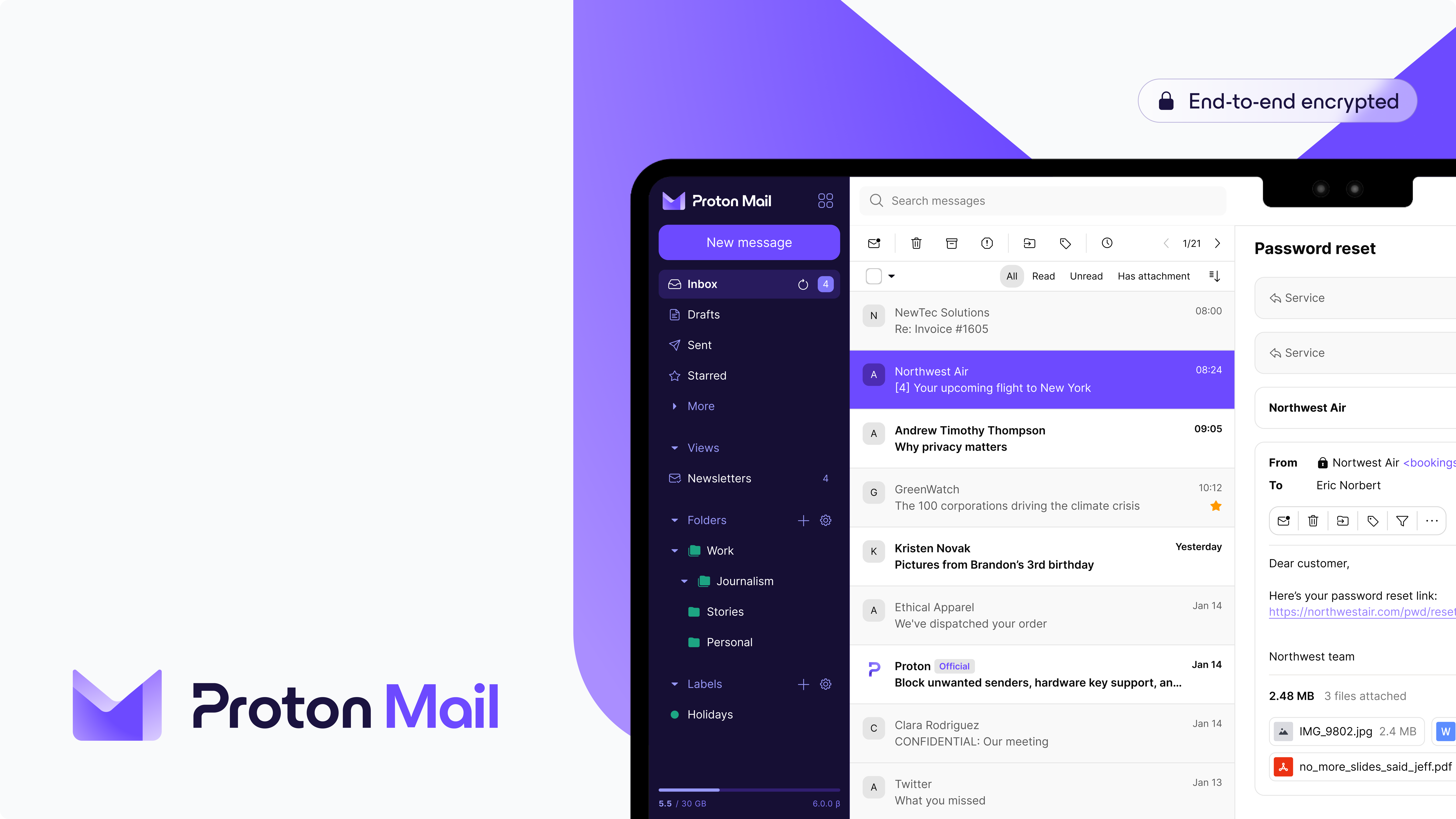
Zero-Access Encryption: The fundamental difference is that Proton Mail uses zero-access encryption (also called zero-knowledge encryption). Your emails are encrypted on your device before they're sent to Proton's servers. Proton doesn't hold the encryption keys, you do (via your password). This means Proton employees cannot read your emails even if they wanted to, and neither can hackers who breach Proton's servers or governments who request access.
How It Works (Simplified): When you send an email to another Proton user:
- Your email is encrypted on your device using your recipient's public key
- The encrypted email is sent to Proton's servers
- Your recipient's device decrypts the email using their private key
- Proton's servers only ever see encrypted data
When you send an email to a non-Proton user (Gmail, Outlook, etc.), the email is sent unencrypted from Proton's servers to the recipient's provider (standard email behavior). You can optionally password-protect messages to non-Proton users, which encrypts the email and requires the recipient to decrypt it via a web portal.
Swiss Jurisdiction: Proton is headquartered in Geneva, Switzerland, and all servers are located in Switzerland (including a former military bunker under 1,000 meters of granite). Swiss privacy laws are among the strongest in the world, stronger even than EU GDPR. Switzerland is not part of the European Union or any intelligence-sharing agreements like Five Eyes, Nine Eyes, or Fourteen Eyes.
If a government wants access to a Proton user's data, they must go through Swiss courts. Proton's transparency report shows they refuse the majority of requests that don't meet Switzerland's strict legal standards. When they are legally compelled to comply, Proton can only provide metadata (email addresses you contacted, timestamps) because the email content itself is encrypted.
Technical Note: Zero-access encryption means Proton cannot decrypt your emails even if legally compelled. In Switzerland, courts can only order Proton to collect future metadata (IP addresses, email contacts) for a specific account, the email content itself remains encrypted.
No Ad-Based Business Model: Proton makes money from paid subscriptions, not data harvesting. There are no Smart Features that require content scanning, no third-party app ecosystem with API access, and no financial incentive to collect data. This business model alignment is crucial, Proton's revenue depends on protecting your privacy, not monetizing it.
Open Source and Audited: Proton Mail's code is open source, meaning independent security researchers can audit it for vulnerabilities or backdoors. The service has been independently audited by firms like SEC Consult and Securitum. You don't have to trust Proton's promises, you can verify their security claims in code.
The Privacy Trade-off: Because Proton can't read your emails, they also can't provide server-side search. Gmail can instantly search your entire email history because Google indexes everything server-side. Proton has to download and decrypt your emails to your device for searching, which is slower, especially for large inboxes. This is the fundamental trade-off: privacy vs convenience.
Advanced Security Features: Proton Mail includes additional security layers beyond encryption:
- Proton Sentinel: 24/7 monitoring with AI and security analysts for high-risk accounts
- 2FA with hardware keys: Support for YubiKey and FIDO2-compliant security keys
- PhishGuard: Blocks known phishing attempts and warns about suspicious emails
- Enhanced tracking protection: Blocks tracking pixels and hides your IP address
Ready to try privacy-first email? Proton Mail offers a free plan with 1 GB storage (no credit card required). Upgrade to Mail Plus for 15 GB and custom domain support.
We may earn a commission if you sign up (at no extra cost to you). Read our affiliate disclosure.
Proton Mail vs Gmail: Feature Comparison
Here's an honest side-by-side comparison across the features that matter:
| Feature | Gmail | Proton Mail |
|---|---|---|
| Free Storage | 15 GB (shared across Gmail, Drive, Photos) | 1 GB (email only) |
| Paid Storage (Cheapest) | 100 GB for $1.99/mo (Google One) | 15 GB for €4.99/mo (Mail Plus) |
| Search Speed | Instant (server-side indexing) | Slower (client-side decryption) |
| Mobile Apps | Excellent (iOS, Android) | Excellent (iOS, Android) |
| Calendar Integration | Seamless (Google Calendar) | Separate app (Proton Calendar) |
| Custom Domains | $6/mo per user (Google Workspace) | €4.99/mo (Mail Plus, 1 domain) |
| Spam Filtering | Superior (AI-powered) | Good (rule-based) |
| Desktop Email Client | Web only | Proton Bridge (paid plans) |
| Encryption | In transit/at rest (Google holds keys) | End-to-end (zero-access) |
| Data Location | US servers (with EU regions for Workspace) | Swiss servers only |
| Third-Party App Access | Yes (via OAuth) | No API access |
| Attachment Size | 25 MB | 25 MB |
| Open Source | No | Yes |
| Ad-Free | Yes (but data used for Google Ads elsewhere) | Yes (no data collection) |

Where Gmail Wins:
- Storage: 15 GB free is hard to beat. Proton's 1 GB free tier fills up quickly if you receive attachments regularly.
- Search: Gmail's instant search across decades of email is unmatched. Proton's search requires downloading and decrypting emails locally, which is noticeably slower.
- Spam Filtering: Gmail's AI-powered spam detection is industry-leading. Proton's spam filter is good but not as sophisticated.
- Ecosystem: If you use Google Calendar, Drive, Docs, and Meet, Gmail's integration is seamless. Proton requires separate apps (Calendar, Drive) and doesn't integrate with Google services.
- Collaboration: Google Workspace features like shared inboxes, group calendars, and real-time doc collaboration have no Proton equivalent.
Where Proton Wins:
- Privacy: End-to-end encryption means your emails are private even from Proton. Gmail is private from other users but not from Google.
- Data Sovereignty: Swiss servers under Swiss law vs US servers under CLOUD Act and FISA 702.
- Business Model: Subscription-based (aligned with privacy) vs ad-funded (aligned with data collection).
- Transparency: Open-source code you can audit vs closed-source code you must trust.
- Desktop Integration: Proton Bridge lets you use Proton with Outlook, Apple Mail, or Thunderbird (paid plans).
The Honest Truth: If you prioritize convenience, storage, and ecosystem integration, Gmail is objectively better. If you prioritize privacy, encryption, and data sovereignty, Proton is the clear winner. Most users will find Gmail "good enough" for privacy, but users handling sensitive communications (legal, healthcare, journalism, activism) will find Proton's security model worth the trade-offs.
Proton Mail — private email, by default
End-to-end encrypted mailbox from the Proton team. Swiss jurisdiction, zero-access encryption.
Affiliate partnership — we may earn a commission at no cost to you.
Migration: Switching from Gmail to Proton
Migrating email providers is easier than you think, but it requires planning. Here's how to do it without losing emails or missing important messages.
Prerequisites:
- Proton Mail account (free or paid, paid recommended for storage)
- List of critical accounts to update (banking, work, social media, government)
- Gmail archive exported via Google Takeout (optional, for backup)
Time Estimates:
- Small inbox (under 1,000 emails): 2-3 hours
- Medium inbox (1,000-10,000 emails): 1 day
- Large inbox (10,000+ emails, 5+ GB): 2-3 days + 2-3 month transition
Step-by-Step Migration:
Step 1: Sign Up for Proton Mail Create a Proton account at proton.me. Choose a username carefully, it's permanent. If you have a common name, consider adding a number or location.
Step 2: Import Existing Emails (Optional) Proton offers an "Easy Switch" tool (paid plans only) that imports emails from Gmail. For free plans, you'll need to manually export Gmail emails via Google Takeout and import the MBOX file into Proton's desktop app.
Reality check: Most people don't need to import old emails. Consider starting fresh with Proton and keeping Gmail read-only for searching old messages.
Step 3: Set Up Email Forwarding In Gmail settings, forward all new emails to your Proton address. This ensures you don't miss messages during the transition. Keep this active for 2-3 months.
Step 4: Update Critical Accounts Create a spreadsheet of accounts to update, prioritized by importance:
- Tier 1 (update first): Banking, work, government, healthcare
- Tier 2 (update within a month): Social media, shopping, subscriptions
- Tier 3 (update eventually): Newsletters, promotional emails
Update 5-10 accounts per day to avoid overwhelming yourself.
Step 5: Set Up Custom Domain (Optional) If you have a custom domain (name@yourdomain.com), point your domain's MX records to Proton. This gives you email independence, you can switch providers again later without changing your email address. Requires Mail Plus plan (€4.99/mo).
Step 6: Configure Desktop Email Client (Paid Plans) If you use Outlook or Apple Mail, install Proton Bridge (paid plans only). This creates a local proxy that decrypts emails so traditional email clients can read them.
Step 7: Gradual Transition Don't delete your Gmail account! Keep it active for at least 6 months as a backup. You'll inevitably forget to update some accounts, and Gmail forwarding ensures you catch them.
Migration Pro Tip: Don't import old emails unless you need them. Most users can start fresh with Proton and keep Gmail active (read-only) for searching old messages. This saves storage and keeps your Proton inbox clean.
Common Migration Issues:
Issue 1: Contacts Don't Sync Solution: Export Gmail contacts as CSV, import to Proton Contacts manually. Check for duplicates.
Issue 2: Email Filters Stop Working Solution: Gmail filters don't transfer. Recreate your most important filters in Proton Settings > Filters.
Issue 3: Proton Free Tier Fills Up Quickly Solution: Either upgrade to a paid plan or be ruthless about deleting emails with attachments. Proton's 1 GB free tier is limiting.
Need more storage? Proton Mail Plus (€4.99/mo monthly, or €3.99/mo when billed annually) includes: • 15 GB storage • 10 email addresses • Custom domain support • Proton Calendar & Drive access
30-day money-back guarantee • Cancel anytime
Who Should Switch?
Switch to Proton Mail if:
- You handle sensitive communications (legal documents, healthcare records, financial advice, journalism sources)
- You're privacy-conscious and uncomfortable with Google scanning your emails
- You're in the EU and care about GDPR compliance and data sovereignty
- You value end-to-end encryption over ecosystem convenience
- You can adapt to slower search and a smaller free tier
- You're willing to pay for privacy (€4.99/mo for practical storage)
Stay with Gmail if:
- You rely on Google Workspace integration (Calendar, Drive, Meet, Docs)
- You need maximum free storage (15 GB for emails, photos, and files)
- Search speed is critical, you search thousands of emails daily
- You use third-party apps that require Gmail OAuth access
- You want best-in-class spam filtering with zero configuration
- You're not concerned about Google scanning your email content
The Middle Ground: You don't have to choose one exclusively. Many users:
- Use Proton for sensitive emails (banking, legal, health)
- Use Gmail for newsletters and non-sensitive communications
- Start with Proton's free tier to test for 30 days before committing
This hybrid approach gives you privacy where it matters without giving up Gmail's convenience entirely.
Frequently Asked Questions
Can I send encrypted email to Gmail users? Yes, but with limitations. Emails between Proton users are automatically end-to-end encrypted. For non-Proton users (Gmail, Outlook, etc.), you can use Proton's "Encrypt for Outside" feature, which password-protects the message. The recipient receives a link to decrypt the email via a web portal, they don't need a Proton account, just the password you share separately.
Is Proton Mail slower than Gmail? Slightly. Encryption adds overhead, especially for search. Gmail searches your entire inbox instantly because Google indexes everything server-side. Proton has to download and decrypt emails to your device for searching, which is slower for large inboxes. In daily use (reading and sending emails), the speed difference is minimal.
Can I use Proton with Outlook or Apple Mail? Yes, but only with paid plans. Proton Bridge (available on Mail Plus and higher) creates a local proxy that decrypts emails so traditional email clients can read them. The free tier is limited to Proton's web app and mobile apps.
Does Proton Mail work with custom business domains? Yes. The Mail Plus plan (€4.99/mo) supports 1 custom domain and 10 email addresses. For businesses, Proton offers professional plans with more domains, addresses, and user management. You can use Proton while keeping your existing email@yourbusiness.com address.
Is the free tier enough for everyday use? For light email users: yes. If you receive fewer than 20-30 emails per day and rarely receive large attachments, 1 GB can last months. For moderate to heavy users: no. You'll need to upgrade to Mail Plus (15 GB) or regularly delete attachments. Gmail's 15 GB free tier is more practical for most people.
Can I switch back to Gmail later? Yes. Proton doesn't lock you in. You can export your emails in MBOX or EML format and import them to Gmail (or any provider). Your Proton account can be deleted at any time. If you used a custom domain, you can point it to a different provider without losing your email address.
Will I lose access to other Google services? No. You can keep your Google account for YouTube, Drive, Google Maps, Play Store, and other services. Just change your email address in your Google account settings to your new Proton address. Gmail is just one Google service, you're not leaving the entire ecosystem.
Privacy vs Convenience: Making the Choice
Gmail offers convenience, massive storage, and the best search in the business. Proton Mail offers privacy, end-to-end encryption, and Swiss data sovereignty. The choice comes down to your priorities.
If you handle sensitive communications, legal documents, healthcare records, financial advice, or journalistic sources, Proton's zero-access encryption is worth the trade-offs. If you're a casual user who values Gmail's integration with Google Calendar, Drive, and free storage, Gmail is "good enough" for privacy.
The good news? You don't have to choose immediately. Start with Proton's free tier for sensitive emails while keeping Gmail for everything else. Test Proton for 30 days, see if the slower search and smaller storage bother you, and make a gradual migration if you decide to commit.
Ready to try Proton Mail? Start with a free account (no credit card required) and see if privacy-first email fits your workflow.
Want to explore other options? Check out our comparison of EU email services including Tuta Mail, Mailbox.org, and Kolab Now, each with different trade-offs between privacy and features.
Products Mentioned
Gmail is Google's email service for personal accounts and Google Workspace. It offers search, spam filtering and integration with Google services. Standard Gmail uses provider-managed encryption rather than end-to-end encryption by default. Google states that Gmail message content is not used for advertising; smart features and separately connected Gemini services have distinct data controls.
Kolab Now launched in 2013 as a public service built on the open-source Kolab groupware platform, operated by Apheleia IT AG (formerly Kolab Systems AG) from Bern, Switzerland. It provides a full groupware suite — email, calendars, contacts, tasks, notes, and file storage — hosted entirely in Switzerland under Swiss privacy law. The company is a founding contributor to Collabora Online and champions software freedom as a core principle.
Mailbox is a robust email service designed to meet the needs of privacy-conscious users and businesses in Europe. Hosted in EU data centers, it ensures that your emails remain secure and compliant with GDPR privacy regulations. Mailbox offers end-to-end encryption, safeguarding your communications from unauthorized access. Users can benefit from custom domain support, making it ideal for personal branding or business use. The service also integrates seamlessly with calendars and tasks, providing a comprehensive productivity suite. With two-factor authentication options, Mailbox prioritizes your security without compromising on user experience. The platform is ad-free, ensuring an uninterrupted email experience, and utilizes an open-source email client for transparency and flexibility. Mailbox is perfect for individuals, freelancers, and businesses who value privacy and data sovereignty. The service offers various pricing tiers to accommodate different needs, from basic personal accounts to more advanced business solutions. By choosing Mailbox, users can rest assured that their data is stored and managed within the EU, benefiting from stringent data protection laws.

Proton Mail offers secure email services with a focus on privacy and digital freedom. It provides encrypted email communication to protect users from spam, tracking, and ads. Proton Mail is part of a suite of tools designed to safeguard personal and business data.
Tuta Mail is a secure email service designed with privacy at its core, offering end-to-end encryption to ensure that your communications remain confidential. Hosted on EU servers, Tuta Mail adheres to GDPR standards, providing users with peace of mind regarding data privacy and compliance. With a zero-knowledge architecture, Tuta Mail ensures that only you can access your data, not even the service providers. This email service is ideal for individuals and businesses who prioritize privacy and data protection. Tuta Mail allows anonymous registration, requiring no personal data, and supports custom domains, making it a versatile choice for businesses. The open-source email client also includes built-in spam protection features, ensuring a seamless and secure email experience. Tuta Mail's pricing model offers various plans to cater to both personal and business needs, ensuring flexibility and affordability. By choosing Tuta Mail, users benefit from the robust privacy and security measures that come with EU-hosted data, making it a reliable choice for those who value data sovereignty.
Related Articles
Tresorit vs Dropbox: End-to-End Encryption vs Convenience (2026)
Dropbox encrypts files on their servers but holds the keys. Tresorit uses zero-knowledge encryption, only you can decrypt your files. Here's the complete security, feature, and pricing comparison.
ComparisonspCloud vs Proton Drive (2026): Which Is Better?
Compare pCloud and Proton Drive on encryption, lifetime pricing, collaboration, storage, and European data residency before choosing your cloud.
ComparisonsOffice.eu vs Euro-Office: Which European Office Suite Should You Try First?
Two European office suites launched in March 2026 to challenge Microsoft 365 and Google Workspace. Here is how Office.eu and Euro-Office compare on features, sovereignty, and readiness.
Ready to Switch to EU Alternatives?
Explore our directory of 400+ European alternatives to US tech products.
