
pCloud Review 2026: Swiss Cloud Storage with Lifetime Plans Worth It?
An honest review of pCloud, the Swiss cloud storage provider with lifetime plans starting at EUR 199. Covers encryption, pricing, Crypto add-on, and who should (and shouldn't) use it.
12 chapters · jump to a sectionShow
- 0:00Why I Left Google Drive
- 1:05Virtual Drive & Key Features
- 2:18Block-Level Sync
- 3:31Lifetime Plans: The Math
- 4:51Security & The Crypto Catch
- 5:59EU Data Sovereignty
- 7:12Interface & Mobile Apps
- 8:20Speed Tests
- 9:08Pricing Breakdown
- 10:23pCloud vs Google Drive, Proton, Tresorit & More
- 11:55Final Verdict
- 13:09Who Should (and Shouldn't) Use pCloud
If you've been paying monthly for cloud storage, pCloud wants you to stop. The Swiss company's pitch: pay once, store your files forever. No recurring charges, no annual renewals, no price hikes.
Sounds great in a market dominated by subscriptions. But lifetime plans raise obvious questions. Is the company stable enough to honor them? Is the storage actually secure? And how does it compare to Google Drive, Tresorit, or Proton Drive?
We tested pCloud to find out. Here's what works, what doesn't, and who it makes sense for.
What Is pCloud?
pCloud is a cloud storage service headquartered in Baar, Switzerland. Founded in 2013, it's grown to over 22 million users in 130+ countries. Switzerland isn't an EU member, but it has an adequacy decision from the European Commission — Swiss data protection is considered equivalent to GDPR.
The basics: cloud storage with file syncing, sharing, backup, and media streaming. What makes pCloud different is the lifetime plan model — one payment, no expiration date.
One detail worth calling out: when you create your account, you choose between data centers in Luxembourg (EU) or Dallas, Texas (US). Few cloud providers give you that choice — most just assign a region or don't tell you where your data lives. For anyone concerned about data sovereignty and the CLOUD Act, the Luxembourg option keeps your files in the EU from day one.
Key Features
File Sync and Access
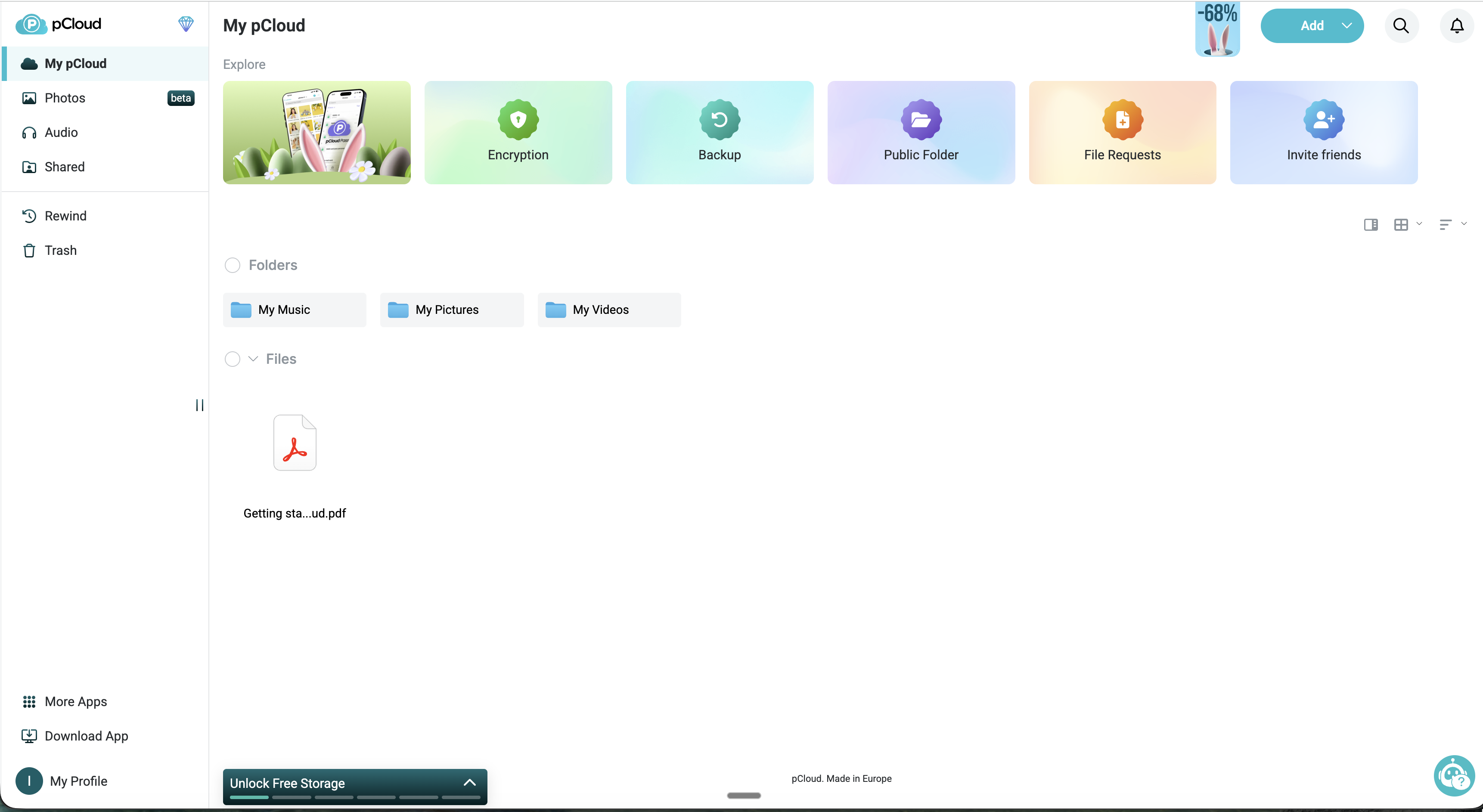
Instead of syncing everything to your local disk, pCloud creates a virtual drive — a partition on your computer that shows all your cloud files without eating local storage. You can also set up traditional two-way sync for specific folders if you want local copies.
The virtual drive is snappier than you'd expect. Files open directly from the cloud, and on a decent connection it feels close to working with local files.
No artificial file size limits (within your account storage) and no speed caps. Independent speed tests consistently put pCloud near the top — typically second only to MEGA for raw upload speed, and noticeably faster than Google Drive or Dropbox.
File Sharing and Collaboration
Sharing works through links with configurable permissions — passwords, expiration dates, and upload-only folders for receiving files. Download links come with built-in bandwidth (500 GB to 2 TB depending on plan).
The big gap: no real-time collaboration. No document editor, no simultaneous editing, no commenting. If you need Google Docs-style workflows, pCloud won't replace that.
pCloud Crypto -- The Zero-Knowledge Add-On
This is where pCloud gets both interesting and controversial.
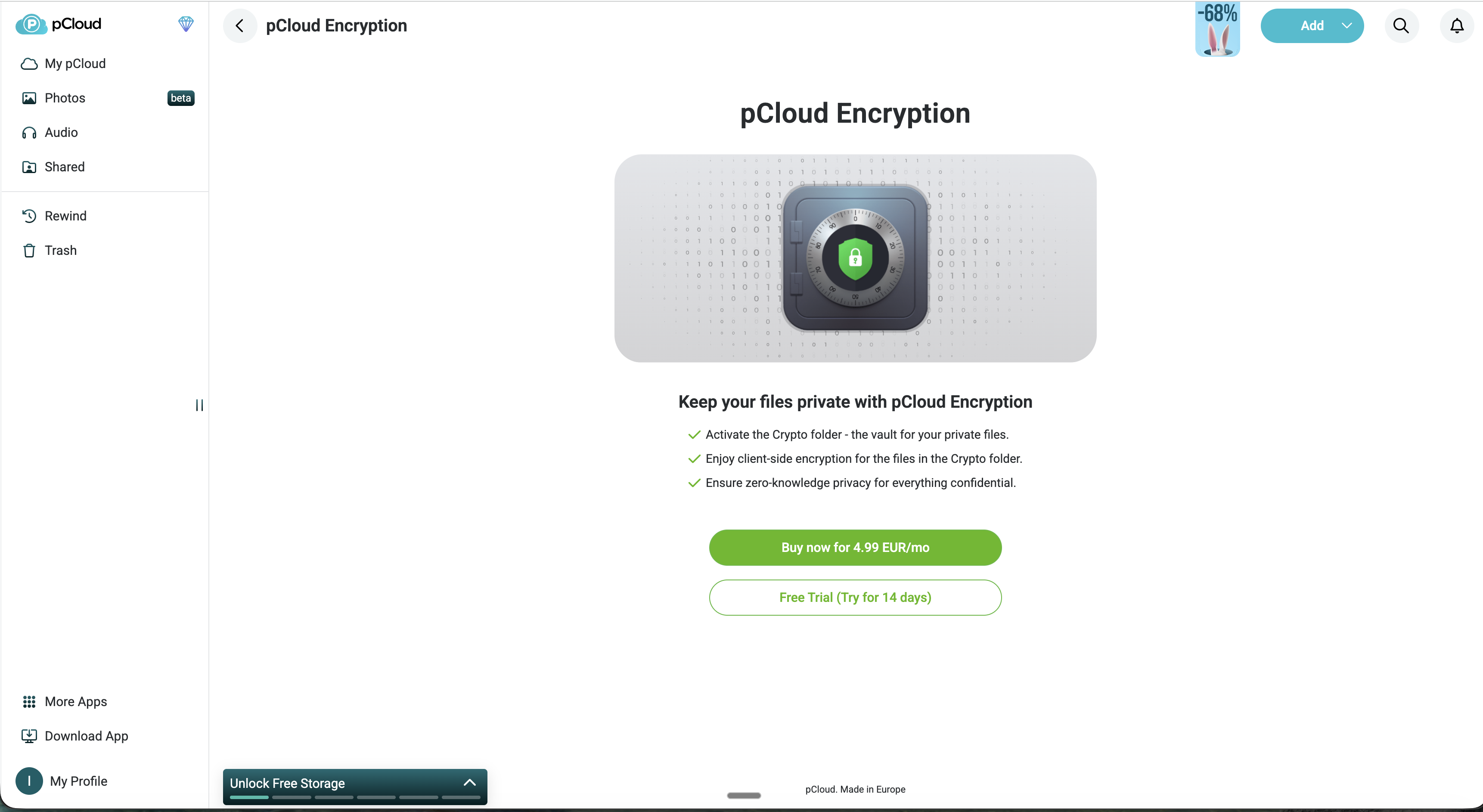
By default, pCloud encrypts files in transit (TLS/SSL) and at rest (256-bit AES). Standard stuff. But pCloud holds the encryption keys, meaning they could theoretically access your files — or be compelled to by law enforcement.
For actual zero-knowledge encryption, you need pCloud Crypto. It's a paid add-on that creates a special "Crypto Folder" where files are encrypted on your device before upload. pCloud never sees the key. The company ran a $100,000 public bounty challenge — 2,860 participants over 180 days, zero breaches.
The catch: Crypto isn't included in base plans. It costs extra (pricing below). This is the most common criticism of pCloud, and it's fair. Tresorit and Proton Drive include zero-knowledge encryption by default.
There's a practical counterargument, though. Not every user needs zero-knowledge protection for holiday photos and random documents. By keeping Crypto separate, pCloud offers cheaper base plans for casual users while letting privacy-focused users pay for full protection. It's a trade-off between affordability and default security — and depending on your threat model, selective encryption might actually be the smarter approach.
Media Player and Streaming
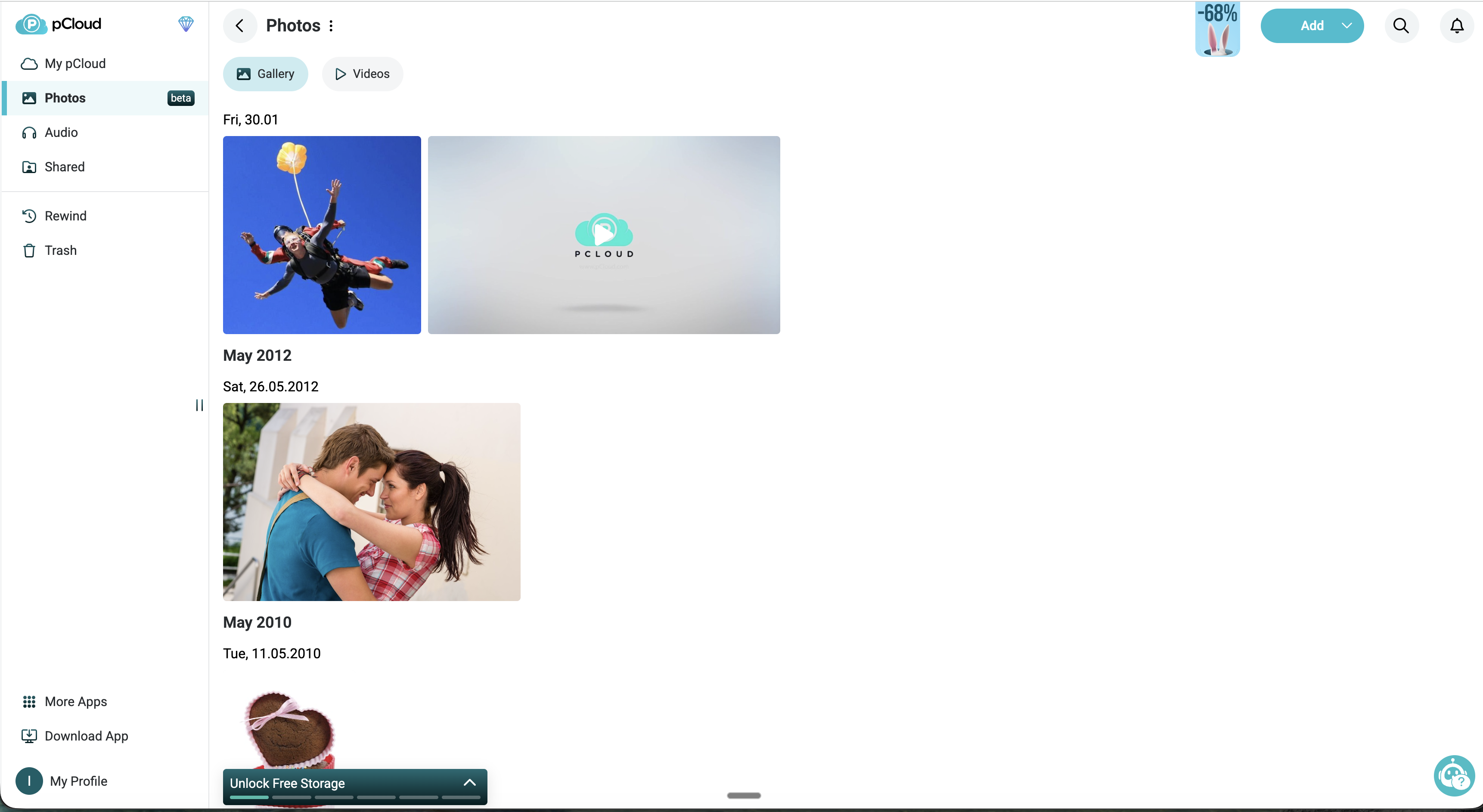
pCloud has a built-in media player that streams audio and video directly from the cloud. Create playlists, stream music on mobile, play videos without downloading first. If you have a big media library, this is a real differentiator — most cloud storage makes you download before you can play anything.
Backup Features
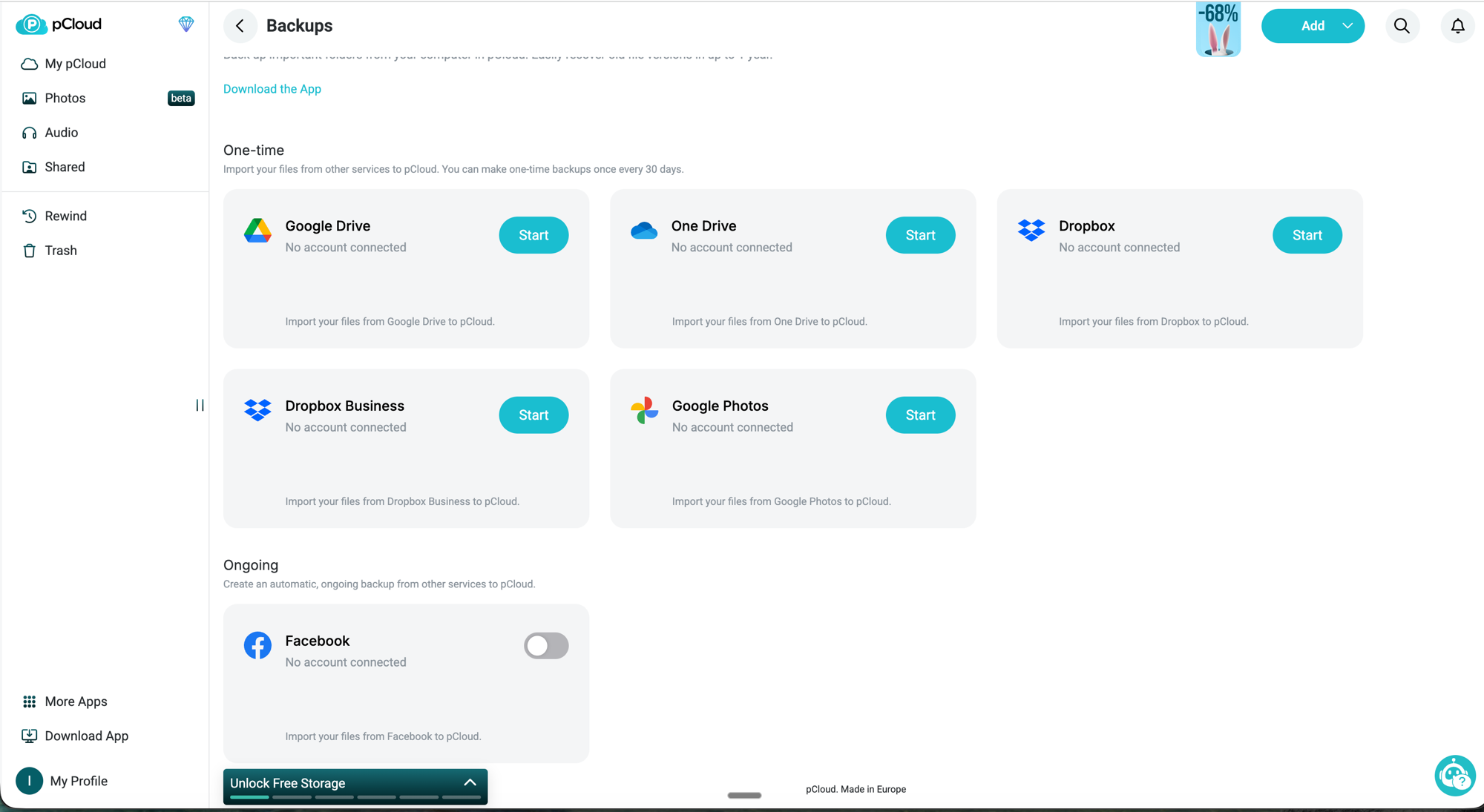
pCloud backs up folders from your computer automatically. But the more interesting part: it can pull in data directly from Google Drive, OneDrive, Dropbox, Dropbox Business, Google Photos, and Facebook through the web interface. Most competitors don't offer this, and it makes switching providers much easier — no need to download everything to your local machine first.
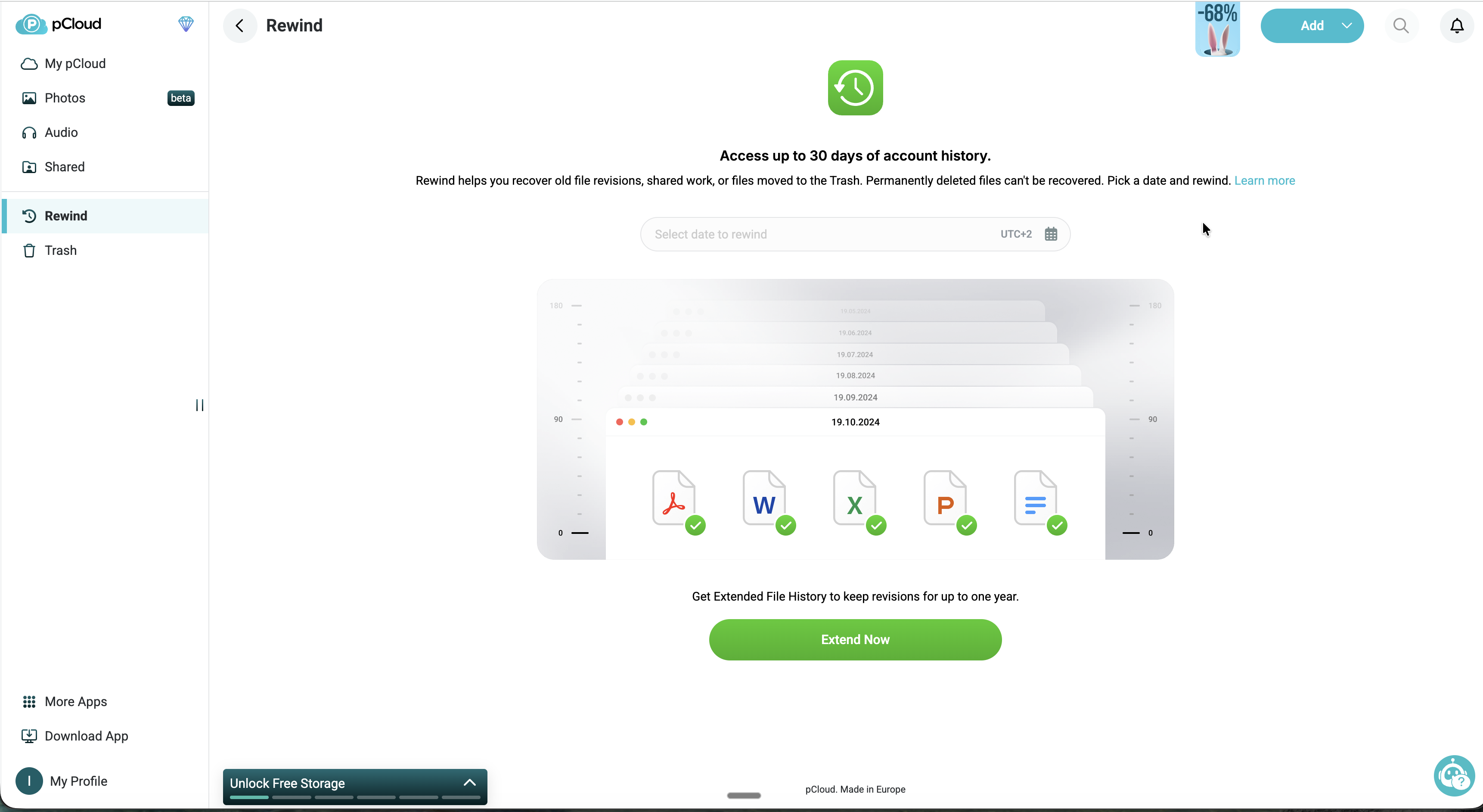
File versioning comes with all plans — 30 days of previous versions on standard, extendable to 365 days with the Extended File History add-on.
Desktop and Mobile Apps
Windows, macOS, Linux, iOS, and Android. The Linux support matters — Dropbox, for instance, has had a rocky relationship with Linux for years. Mobile apps handle automatic photo backup and include the media player for streaming on the go.
pCloud — Swiss cloud, lifetime plans
EU data residency in Luxembourg, one-time payment plans, zero-knowledge encryption (optional).
Affiliate partnership — we may earn a commission at no cost to you.
pCloud Pricing Breakdown
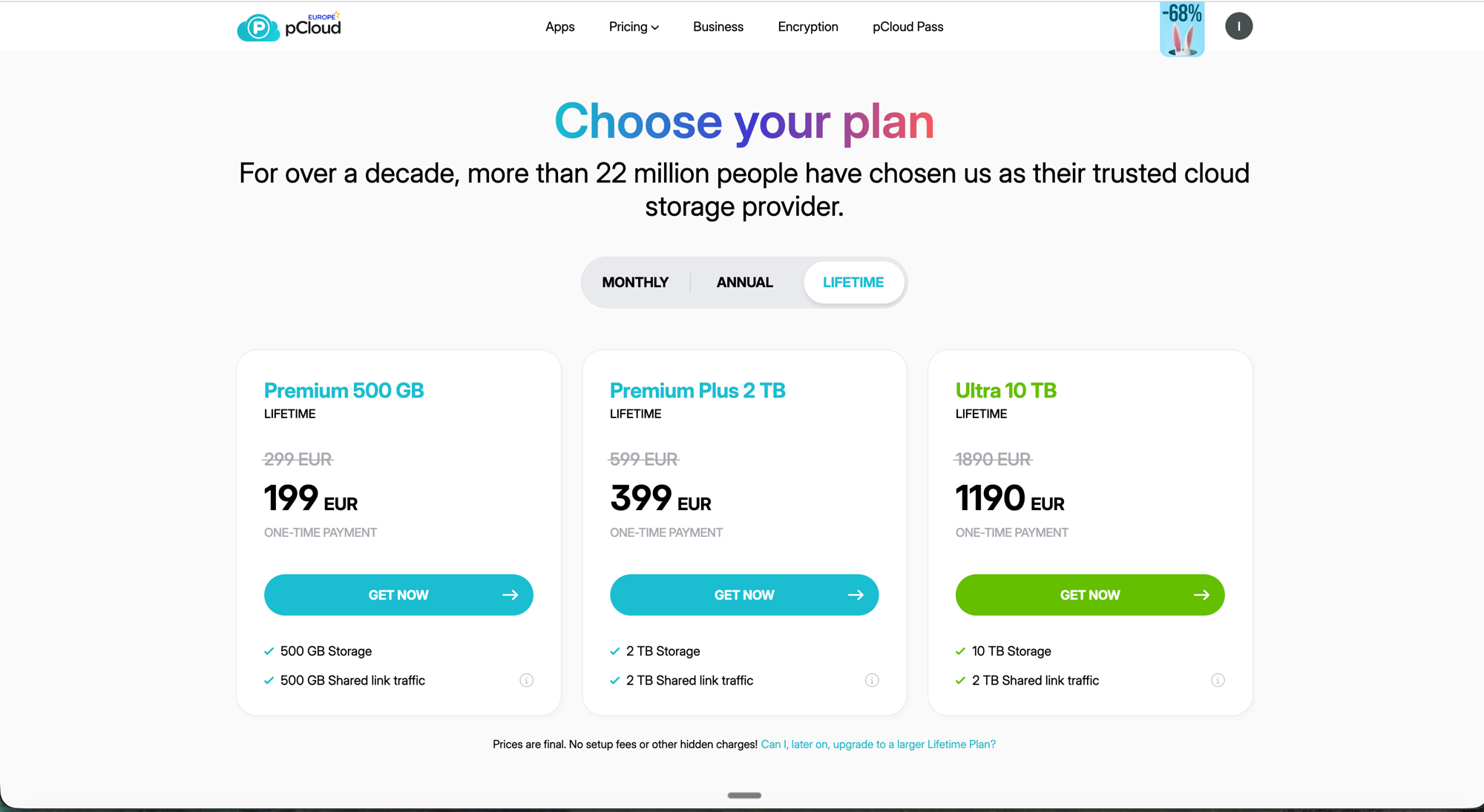
pCloud offers three plan tiers across three billing cycles: monthly, annual, and lifetime. All prices are in EUR.
Monthly Plans
| Plan | Storage | Price |
|---|---|---|
| Premium | 500 GB | EUR 4.99/mo |
| Premium Plus | 2 TB | EUR 9.99/mo |
| Ultra | 10 TB | EUR 29.99/mo |
Annual Plans
| Plan | Storage | Price | Per Month |
|---|---|---|---|
| Premium | 500 GB | EUR 49.99/yr | ~EUR 4.17/mo |
| Premium Plus | 2 TB | EUR 99.99/yr | ~EUR 8.33/mo |
| Ultra | 10 TB | EUR 299.99/yr | ~EUR 25.00/mo |
Lifetime Plans (One-Time Payment)
| Plan | Storage | Price | vs 5 Years Annual |
|---|---|---|---|
| Premium | 500 GB | EUR 199 | Save EUR 51 |
| Premium Plus | 2 TB | EUR 399 | Save EUR 101 |
| Ultra | 10 TB | EUR 1,190 | Save EUR 310 |
This is where pCloud stands alone. The 2 TB lifetime plan at EUR 399 breaks even against the annual plan in just over 4 years. After that, it's free storage for as long as the company exists.
To put it in perspective: Google One charges EUR 99.99/year for 2 TB. Five years = EUR 500. Ten years = EUR 1,000. pCloud: EUR 399 once.
pCloud Crypto Add-On
| Billing | Price |
|---|---|
| Monthly | EUR 4.99/mo |
| Annual | EUR 49.99/yr |
| Lifetime | EUR 150 |
If you want zero-knowledge encryption, factor in the Crypto add-on. A 2 TB lifetime plan + lifetime Crypto = EUR 549. That's still less than 6 years of Google One, which doesn't offer client-side encryption at all.
All plans come with a 14-day money-back guarantee. There's also a free tier (10 GB), though pCloud doesn't exactly shout about it on the pricing page.
pCloud Business Plans
pCloud also offers dedicated business plans for teams of 3 or more users, billed annually.
| Plan | Storage | Annual Price | Per User |
|---|---|---|---|
| Business | 1 TB per user | EUR 287.64/yr | EUR 7.99/user/mo |
| Business Pro | 2 TB per user | EUR 431.28/yr | EUR 11.98/user/mo |
Business Pro currently has a 25% discount for new accounts (down from EUR 575.28/yr). Both business plans include pCloud Encryption by default — unlike the personal plans where Crypto is extra. If you're handling sensitive client or employee data, that's a meaningful difference.
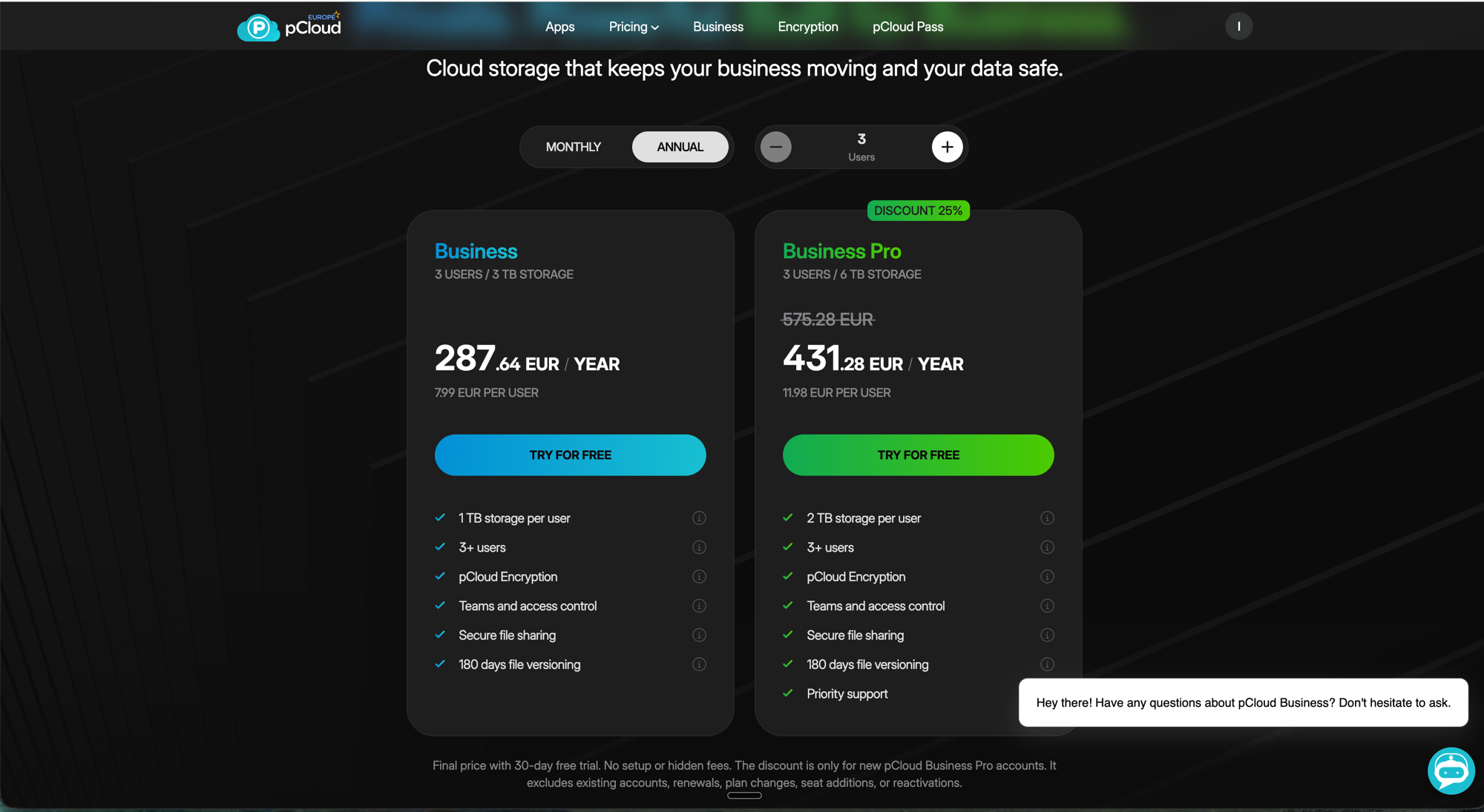
Key business features include:
- Teams and access control -- Organize employees into teams and assign role-based permissions
- Activity logs -- View detailed activity per user and team for compliance and auditing
- Secure file sharing -- Branded sharing links with your company logo and custom messaging
- 180-day file versioning -- Restore previous file versions from up to 6 months back
- Distribute storage -- Assign custom storage quotas from a shared pool rather than fixed per-user allocations
- Priority support (Business Pro) -- Faster response times for critical issues
Certifications include EU data center hosting, GDPR compliance, ISO 27001 (information security), and ISO 9001 (quality management). That's a stronger compliance package than most US-based providers can offer European companies.
The main limitation vs enterprise solutions like Tresorit Business: no SSO integration and no granular compliance reporting. Fine for small to medium teams that want straightforward cloud storage; not enough for enterprises with complex admin requirements.
Try pCloud with a free account to test the interface before committing to a paid plan.
Security and Privacy
Swiss Jurisdiction
Switzerland consistently ranks among the world's strongest privacy jurisdictions. The Federal Act on Data Protection (FADP) was revised in 2023 to align more closely with GDPR, and the EU recognizes Swiss data protection as essentially equivalent.
The key point: Switzerland isn't subject to the US CLOUD Act. If you use Google Drive, Dropbox, or OneDrive, your data is accessible to US authorities regardless of where it's physically stored. With pCloud's Luxembourg data center, your files sit under Swiss corporate governance in EU infrastructure — a double layer of non-US jurisdiction.
Encryption Details
- In transit: TLS/SSL encryption for all data transfers
- At rest: 256-bit AES encryption on pCloud's servers (pCloud holds the keys)
- With Crypto: Client-side, zero-knowledge encryption (only you hold the key)
- File transfer: Files are split into chunks, encrypted separately, and stored on at least three server copies for redundancy
The distinction matters: without Crypto, encryption protects against external breaches but not against pCloud themselves or legal requests. With Crypto, even pCloud can't touch your files.
What About the Free Tier?
10 GB, same infrastructure and encryption as paid plans. Good for testing, but 10 GB won't last long for real use.
Honest Pros and Cons
What pCloud Does Well
- Lifetime plans that actually save money -- Break-even vs annual billing is about 4 years, then it's free storage from there
- EU data center option -- Luxembourg hosting under Swiss corporate law, strong jurisdictional protection
- Virtual drive -- All your cloud files without eating local disk space
- Cross-platform -- Including Linux, which competitors like Dropbox have fumbled
- Built-in media player -- Stream music and video without downloading first
- Track record -- 13 years running, 22M+ users, no major data breaches
Where pCloud Falls Short
- Zero-knowledge encryption costs extra -- Arguably should be included given pCloud's privacy positioning. Tresorit and Proton Drive include it by default
- No real-time collaboration -- No document editing, co-authoring, or commenting. Business plans add team features but still no live co-editing
- Crypto Folder is opt-in -- You have to consciously move files into it. Everything outside uses standard encryption where pCloud holds the keys
- Company longevity risk -- Lifetime plans = trusting pCloud will exist for decades. They're private, so no public financials
- Free tier is thin -- 10 GB vs Google's 15 GB
Who Should Use pCloud?
pCloud is a strong choice if you:
- Want to stop paying monthly or annual cloud storage subscriptions
- Store large media libraries and want built-in streaming
- Need personal, family, or small team cloud storage with EU hosting
- Want EU-hosted storage under Swiss jurisdiction with GDPR and ISO certifications
- Are comfortable adding Crypto for sensitive files while keeping everyday files in standard storage
- Run a small to medium business that needs team storage with encryption included (Business plans)
Look elsewhere if you:
- Need zero-knowledge encryption on everything by default -- consider Tresorit or Proton Drive
- Require real-time document collaboration -- Google Workspace or a European office suite is a better fit
- Need enterprise features like admin controls, audit logs, and compliance reporting -- Tresorit's business plans are stronger here
- Want a completely free solution with decent storage -- Proton Drive offers 5 GB free with zero-knowledge encryption included
How pCloud Compares
How pCloud stacks up against the alternatives you're probably considering. For a deeper dive, see our best EU cloud storage 2026 roundup.
| Feature | pCloud | Google Drive | Tresorit | Proton Drive |
|---|---|---|---|---|
| Headquarters | Switzerland | USA | Switzerland | Switzerland |
| Zero-knowledge default | No (add-on) | No | Yes | Yes |
| Lifetime plan | Yes | No | No | No |
| 2 TB price (annual) | EUR 99.99/yr | EUR 99.99/yr | ~EUR 200/yr | EUR 119.88/yr |
| Business plan | Yes (from EUR 7.99/user) | Yes (Workspace) | Yes (from EUR 12/user) | No |
| Collaboration tools | Basic sharing (Business: teams) | Full suite | Team features | Basic sharing |
| EU data center | Yes (Luxembourg) | Yes (but US company) | Yes | Yes |
| Free storage | 10 GB | 15 GB | None | 5 GB |
| Linux app | Yes | No native app | Yes | Yes |
The trade-off is straightforward: pCloud wins on value (especially lifetime plans) and loses on default zero-knowledge encryption. If privacy is your absolute top priority, Tresorit or Proton Drive are better fits. If you want the best long-term value with solid privacy (via the Crypto add-on), pCloud is hard to beat.
Frequently Asked Questions
Is pCloud safe to use?
256-bit AES at rest, TLS in transit — industry standard. The Crypto add-on adds zero-knowledge, client-side encryption where only you hold the key. Swiss jurisdiction means it's not subject to the US CLOUD Act.
Are pCloud lifetime plans really lifetime?
Yes, as long as pCloud exists. No expiration date. The obvious risk: if pCloud folds, your storage goes with it. They've been running since 2013 with 22M+ users, but no private company can guarantee it'll be around forever. Keep local backups of critical files regardless.
Is pCloud GDPR compliant?
Swiss company with an EU adequacy decision, Luxembourg data center option, and stated GDPR compliance. But remember: GDPR compliance also depends on how you use the service — storing other people's personal data in the cloud requires your own compliance measures too.
Does pCloud encrypt files by default?
Yes — 256-bit AES at rest, TLS/SSL in transit. But this isn't zero-knowledge; pCloud holds the keys. For encryption where even pCloud can't access your files, you need the Crypto add-on.
Can pCloud replace Google Drive?
For storage, syncing, and sharing — yes. For the Google Workspace experience (Docs, Sheets, Slides, real-time collaboration) — no. You'd need a separate office suite alongside pCloud.
What happens if I exceed my storage limit?
Your account goes read-only. You can still access and download everything, but no new uploads until you free up space or upgrade.
Is the Crypto add-on worth it?
If you store anything sensitive (financial records, legal docs, medical files, contracts) — yes, absolutely. EUR 150 lifetime for zero-knowledge encryption is cheap. For holiday photos and general files, the default encryption is fine for most people.
The Verdict
pCloud is the best deal in European cloud storage, especially for individuals and families tired of monthly subscriptions. EUR 399 for 2 TB lifetime + EUR 150 for lifetime Crypto = EUR 549 total for zero-knowledge encrypted Swiss cloud storage, forever. Most competitors charge more than that over 5-6 years.
The weakness: zero-knowledge encryption isn't the default. You pay extra and have to use the Crypto Folder deliberately. If you want everything encrypted without thinking about it, Tresorit or Proton Drive are better — though you'll pay more over time and there's no lifetime option.
For anyone who cares about both privacy and long-term cost, pCloud with the Crypto add-on hits a sweet spot that nobody else currently matches.
Try pCloud free -- 10 GB at no cost, no credit card required.
Full video transcriptShow
Products Mentioned
pCloud is a Swiss-based cloud storage solution that prioritizes data privacy and security. Offering various plans, it allows users to store, access, and manage files with strong encryption and flexible sharing options.

Proton Drive is an end-to-end encrypted cloud storage service from Proton AG, the Swiss company behind Proton Mail. Launched in 2022, it encrypts all files and metadata client-side before upload — Proton has zero access to your data. It integrates with the Proton ecosystem (Mail, Calendar, VPN, Pass) and offers photo backup, file versioning, and secure sharing links. Free tier includes 5 GB; paid plans up to 3 TB.
Tresorit is a Swiss-Hungarian end-to-end encrypted cloud storage and collaboration platform founded in 2011 by Istvan Lam, Szilveszter Szebeni, and Gyorgy Szilagyi. Headquartered in Zurich and acquired by Swiss Post in 2021 (while remaining independently operated), Tresorit uses zero-knowledge RSA-4096 encryption — meaning even Tresorit staff cannot access your files. The platform serves businesses that handle sensitive data: legal firms, healthcare, finance, and government. Beyond basic cloud storage, Tresorit offers secure data rooms (Tresorit Engage), electronic signatures (eSign), and email encryption.
Related Articles
Tresorit vs Dropbox: End-to-End Encryption vs Convenience (2026)
Dropbox encrypts files on their servers but holds the keys. Tresorit uses zero-knowledge encryption, only you can decrypt your files. Here's the complete security, feature, and pricing comparison.
ComparisonsProton Mail vs Gmail: Privacy & Security Comparison 2026
Gmail reads your emails to serve ads and train AI. Proton Mail uses zero-access encryption, even Proton can't read them. Compare privacy, features, and migration.
ReviewsBunny CDN Review 2026: An Honest Take After Migrating builtineu.eu
An honest Bunny.net review after putting it in front of builtineu.eu. Five days of dashboard data, a 90% cache hit rate, a $0.01 bill, and where Cloudflare still wins.
Ready to Switch to EU Alternatives?
Explore our directory of 400+ European alternatives to US tech products.
