
Tresorit for HIPAA-compliant cloud storage: a healthcare buyer's guide (2026)
OCR fined two cloud business associates a combined $170,000 in January 2025. Both had encryption. Neither survived a risk analysis. Here's what zero-knowledge cloud storage actually changes, and where Tresorit fits in.
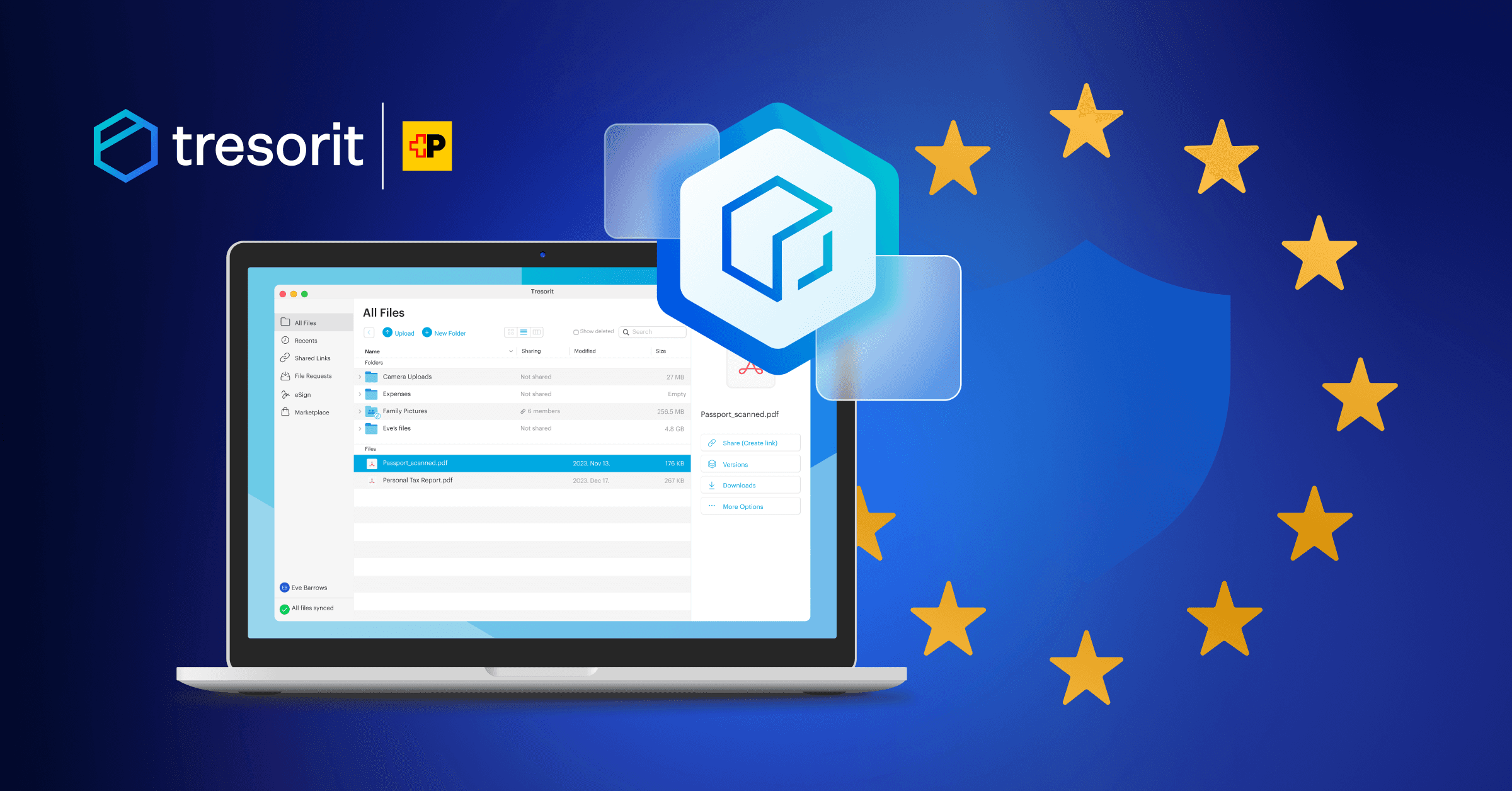
Quick answer: Tresorit is a Swiss-headquartered, zero-knowledge cloud storage provider that signs Business Associate Agreements on its Professional, Business, and Enterprise plans. The zero-knowledge architecture keeps Tresorit's servers holding only ciphertext, which qualifies for the HIPAA breach notification rule's safe harbor at 45 CFR § 164.402 when keys aren't also compromised. Default data residency is Ireland and the Netherlands; Swiss residency is available on Business+ plans.
In March 2023, an attacker walked through an open firewall port on a server belonging to Elgon, Inc., a Massachusetts business associate that ran electronic medical records and billing for healthcare clients. Elgon found out six days later. Not because their security tooling caught it. Because the attacker left a ransom note. By the time anyone noticed, the protected health information of 31,248 individuals was exposed.
On January 7, 2025, OCR settled with Elgon for $80,000. The same day, OCR announced a second settlement: $90,000 with Virtual Private Network Solutions, LLC, a cloud and data hosting business associate that suffered its own ransomware attack. The breached records included names, dates of birth, driver's license numbers, SSNs, bank accounts, diagnoses, lab results, and medication histories, every category of high-value identity data in the same place.
Neither settlement turned on whether encryption was deployed. Both turned on the same finding: the regulated entity "failed to conduct an accurate and thorough assessment of the potential risks and vulnerabilities to the confidentiality, integrity, and availability of all its electronic PHI." OCR's Risk Analysis Initiative, launched in October 2024, has now produced seven enforcement actions and roughly $900,000 in settlements. The pattern is consistent: cloud storage that might be encrypted, paperwork that doesn't say so clearly, and an architecture nobody documented before the breach.
This guide is for healthcare buyers who want to skip that pattern. It covers what's actually in force in 2026 (the 42 CFR Part 2 deadline, the existing HIPAA Security Rule), what's proposed but unsettled (the Security Rule NPRM), and where Tresorit's zero-knowledge architecture fits in the BAA market. We've verified every regulatory and product claim in this piece against primary sources, and we've cited them inline. If you're going to bet your practice on a vendor, you should be able to check the receipts.
Tresorit — Swiss zero-knowledge cloud
End-to-end encrypted Swiss storage with BAA-ready Business plans. Even Tresorit can’t read your files.
Affiliate partnership — we may earn a commission at no cost to you.
What does HIPAA actually require for cloud storage in 2026?
There are two regulatory clocks running for healthcare buyers right now. One is in force. One is not.
In force: the existing Security Rule and 42 CFR Part 2 alignment
The HIPAA Security Rule has required technical safeguards for ePHI since 2003: access controls, audit controls, integrity controls, transmission security, and encryption. The wording matters here. Encryption is currently classified as an "addressable" implementation specification under 45 CFR § 164.312. "Addressable" was never meant to mean "optional," but in practice many regulated entities treated it that way, documenting why they wouldn't encrypt instead of encrypting. OCR has spent the last decade making clear, through enforcement, that this interpretation doesn't hold.
The newer clock is 42 CFR Part 2. HHS published the final rule in February 2024, with an effective date of April 16, 2024 and a compliance deadline of February 16, 2026, meaning it's now in force for any HIPAA covered entity that creates, receives, maintains, or transmits substance use disorder records. OCR announced its Civil Enforcement Program for Confidentiality of Substance Use Disorder Patient Records on February 13, 2026, and began accepting complaints three days later.
The Part 2 final rule does several things at once. It allows a single patient consent for future treatment, payment, and healthcare operations disclosures. It aligns Part 2 penalties with HIPAA's civil and criminal enforcement structure. And it requires updated Notices of Privacy Practices for any covered entity processing SUD records. If you run an addiction medicine practice, behavioral health clinic, or recovery program, this is your active deadline. The Notice of Privacy Practices update is the part most clinics underestimate.
Proposed but unsettled: the Security Rule NPRM
On December 27, 2024, OCR published a Notice of Proposed Rulemaking that would significantly tighten the Security Rule's technical safeguard requirements, most notably by removing the "addressable vs. required" distinction and making encryption mandatory. The comment period closed March 7, 2025. OCR received roughly 4,745 comments. Eight industry associations called publicly for the rule to be rescinded. The Trump administration's "Regulatory Freeze Pending Review" executive order paused new rulemaking.
As of late April 2026, the NPRM remains under review. It has not been finalized. It has not been withdrawn. It has not been revised and reissued. OCR officials have indicated the timeline is uncertain. We're including this section because some vendors and consultants are selling against an "imminent encryption mandate" that may or may not materialize. The honest answer: nobody knows yet whether the NPRM lands as proposed, comes back changed, or gets pulled.
What this means for buying decisions
Don't pick a cloud storage vendor based on a deadline that doesn't exist yet. Pick one based on what's already enforceable: the existing technical safeguards, the breach notification rule's encryption exception, the BAA requirement, and OCR's stated enforcement priorities. If the NPRM lands as proposed, you'll already be ahead. If it doesn't, you'll still be compliant with the rules in force.
Three things matter for cloud storage in particular:
The breach notification rule at 45 CFR § 164.402 excludes from the definition of "breach" any PHI rendered unusable, unreadable, or indecipherable to unauthorized individuals through encryption that meets HHS guidance. This is the safe harbor. It only works if the encryption keys are not also exposed in the breach.
The Business Associate Agreement requirement at 45 CFR § 164.308(b)(1) requires covered entities to obtain a signed BAA from any vendor that creates, receives, maintains, or transmits PHI on their behalf. Cloud storage providers are business associates. Uploading even a single patient record to a cloud service before the BAA is active is a violation, regardless of how strong the encryption is.
The penalty structure was last adjusted on January 28, 2026 under the Federal Civil Penalties Inflation Adjustment Act. Tier 1 (did not know): $145–$73,011 per violation. Tier 2 (reasonable cause): $1,461–$73,011. Tier 3 (willful neglect, corrected): $14,602–$73,011. Tier 4 (willful neglect, uncorrected): $73,011–$2,190,294. The annual cap per violation category is $2,190,294. These numbers are real, current, and apply to violations occurring on or after November 2, 2015.
For breach costs, the IBM 2024 Cost of a Data Breach Report put the average healthcare breach at $9.77 million, the 14th consecutive year healthcare topped every other industry. The report also found healthcare breaches take 213 days to detect on average, against an industry-wide median of 194 days. That detection gap is a structural problem encrypted-at-rest models don't solve. Zero-knowledge models do, in a specific and useful way.
Why does zero-knowledge encryption change the HIPAA breach calculation?
Most healthcare buyers know "encrypted at rest" means the data on the disk is scrambled. Fewer have thought carefully about who holds the descrambling key.
In the standard cloud storage model. Dropbox, Google Drive, OneDrive, the provider encrypts your files server-side using keys the provider controls. This is encryption-as-protection-against-storage-theft, and it works for that. If somebody walks out of an Azure data center with a hard drive, the data on it is unreadable. But the provider's key management system is online. It's accessible to provider employees with appropriate access. It's responsive to legal process. And during a breach, if the attacker compromises the same systems that hold the keys, the encryption stops protecting anything.
In a zero-knowledge model, encryption happens on your device before the file leaves it. The keys are derived from credentials only you possess. The provider receives ciphertext and stores ciphertext. There is no key on the provider's side to compromise, subpoena, or accidentally leak. When somebody asks the provider for your files, whether it's an attacker, a court, or the provider's own employee, the answer is mathematically the same: we don't have a way to decrypt this.
For HIPAA specifically, this matters at three points.
At rest. A breach of the provider's storage layer exposes encrypted blobs. The Section 164.402 safe harbor applies: provided the keys aren't also compromised, you don't trigger the breach notification rule. The IBM 2024 number, $9.77M average healthcare breach cost, counts notification, credit monitoring, legal, and regulatory costs. The safe harbor takes most of those off the table.
In transit. Files encrypted client-side don't depend on transport-layer encryption to remain confidential. TLS still gets used (it should, for everything), but a TLS downgrade or certificate compromise doesn't expose anything sensitive, the payload was already opaque before it left the device.
Under legal process. A US warrant served on a Swiss provider is its own complicated situation. A warrant served on a zero-knowledge provider, anywhere, lands at a logistical wall. The provider has nothing to hand over except encrypted blobs. The keys are with the customer's devices. This isn't a loophole. It's a deliberate architectural choice that some healthcare organizations want and others don't.
The trade-off: features that require server-side access to file contents, collaborative real-time editing of documents the way Google Docs works, server-side full-text search across encrypted files, automatic content-aware sharing, get harder or impossible. Zero-knowledge providers handle these by putting the work back on the client (your browser, your device). For healthcare buyers, the most-used files are PDFs, DICOM imagery, scanned forms, audio recordings, and PHI-containing spreadsheets. The collaborative-editing trade-off is rarely a deal-breaker. The audit-trail and legal-defense properties usually are.
How does Tresorit fit healthcare HIPAA requirements?
Tresorit was founded in Hungary in 2011 and is headquartered in Switzerland. In July 2021, Swiss Post acquired a majority stake. Swiss Post became a private limited company in 2013 but remains Switzerland's national postal operator. The legal entity you sign a BAA with is Tresorit AG, governed by Swiss law and the Swiss Federal Act on Data Protection.
What Tresorit publishes about its encryption
Tresorit's security page lists the following, in their own words: AES-256 client-side encryption with HMAC or AEAD authentication on encrypted data, RSA-4096 with OAEP padding (RFC 2437) for key exchange, public key cryptography for sharing, zero-knowledge authentication ("your password never leaves your device"), and a tree-of-symmetric-keys structure for cryptographic key sharing. The cipher claims are AES and RSA in their standard, well-audited configurations. Nothing exotic. Nothing that requires you to trust a custom protocol.
What Tresorit's public security page does not specify, and what we won't claim on their behalf: a specific TLS version, a specific key derivation function, the exact mode of operation for AES, or a published cadence of penetration testing with named auditors. If you need that level of detail before a procurement decision, ask Tresorit's solutions engineering team for their current security whitepaper under NDA. The publicly verifiable certifications are what you'd expect: ISO 27001:2022, audited and certified by TÜV Rheinland, and a list of compliance frameworks supported (HIPAA, GDPR, CCPA, FINRA, ITAR, TISAX, CJIS, DORA, NIS2). G-Cloud 9 approval covers UK government procurement.
Where your data actually lives
This is the section the existing Tresorit literature doesn't make obvious. Tresorit offers data residency options across twelve locations: Brazil, Canada, France, Germany, Ireland, the Netherlands, Singapore, Switzerland, the UAE, the UK, and two US locations. By default, customer data goes to Ireland and the Netherlands, not Switzerland. Swiss customers get Swiss data residency by default. Other customers can opt into Switzerland, or any other listed location, as a Business+ plan feature.
This nuance matters for buying decisions. Tresorit's "Swiss" advantage is a legal-entity and contract-jurisdiction argument: Tresorit AG is a Swiss company, contracts are Swiss-law-governed, and the company is not directly subject to the US CLOUD Act. The data location is a separate question, and you control it. If your compliance posture requires Swiss-resident data, you select Swiss data residency on a Business+ plan and the placement is contractual. If you're comfortable with Irish residency under GDPR, the default works. If you actively need US residency for some reason, perhaps for a US federal contract that demands it, the option is there.
The architectural point worth keeping in mind: because the encryption is client-side, the data location matters less than the key location. The keys live on your devices. The data location determines which jurisdiction's process the encrypted blobs live under, but those blobs are useless without the keys.
What's BAA-eligible
Tresorit signs Business Associate Agreements on its Professional, Business, and Enterprise plans. Personal and Basic (free) plans are excluded. Storing PHI on a non-eligible plan is a HIPAA violation regardless of whether the file is encrypted. The cleanest path: buy the plan, request the BAA, wait for activation, then upload PHI. Not in any other order.
The new feature most buyers don't know about yet
Tresorit launched encrypted data rooms as a separate product line in 2025. These are end-to-end encrypted, branded, time-bounded shared spaces, designed for prospect/client/partner collaboration, due diligence, and project handoffs. For healthcare specifically, this fits clinical trial coordination across sponsor/CRO/site, multi-organization research consortia (the kind of work Tresorit's existing customer Cardiovascular Research Institute Basel does), specialist consultations across health systems, and time-bounded audit response packages for payers. If your collaboration patterns are project-shaped rather than ongoing-shared-folder-shaped, the data rooms product is worth a closer look.
How does Tresorit's BAA process work?
Healthcare buyers care more about this section than any other, because it's where most procurement processes get stuck.
Tresorit publishes the BAA process in its support knowledge base. The current path:
- Sign up for a Professional, Business, or Enterprise plan, or move an existing Personal account to one of those tiers.
- Request the BAA via Tresorit's support knowledge base BAA article. The current procedure is documented there; we're not citing a specific email address or turnaround time in this guide because Tresorit revises that path periodically and we won't put numbers in print that may be stale by the time you read this.
- Receive the BAA document for review. The BAA covers permitted PHI uses, breach notification timelines, subcontractor handling, and termination provisions.
- Sign and return.
- Wait for confirmation that the BAA is active. Do not upload any PHI before this confirmation.
The "do not upload before active" rule is not a Tresorit-specific quirk. Under 45 CFR § 164.308(b)(1), uploading PHI to a vendor before a signed BAA is a HIPAA violation in itself. Some practices set up the account, configure folder structure, train staff, and stage non-PHI test data while waiting for the BAA, then load real records once activation comes through. That's a sensible sequence.
Tresorit — Swiss zero-knowledge cloud
End-to-end encrypted Swiss storage with BAA-ready Business plans. Even Tresorit can’t read your files.
Affiliate partnership — we may earn a commission at no cost to you.
How do I set up a HIPAA-compliant Tresorit deployment?
This is the implementation half of the guide. It assumes you're standing up Tresorit for a 5–25 person practice. Larger health systems will run a similar process under more procurement and IT governance overhead, but the same controls apply.
Step 1. Account and BAA
Create the organization account on a BAA-eligible plan (Professional for solo practitioners, Business for 3+ users, Business Pro or Enterprise for larger teams or compliance feature requirements). Request the BAA via the support knowledge base path. Allow a few business days for execution. Your active account becomes "BAA-active" once you receive Tresorit's confirmation.
Do not upload PHI during this waiting period. Use it for staff onboarding instead, see Step 7.
Step 2. Organization security baseline
In the Admin Panel, configure the security settings before any user logs in:
Enforce two-factor authentication organization-wide. Set a password policy of at least 12 characters with mixed case, numbers, and symbols. Set session timeout to 15 minutes for systems holding PHI. Disable public link sharing without password protection. Enable comprehensive audit logging (this is a Business+ feature). Track devices with active sessions and configure remote revocation. Set default link expiration to 30 days and require password protection on every share.
Enable these before users log in for the first time. Retroactive policy enforcement is harder than initial provisioning.
Step 3. Folder structure
Cloud storage gets messy fast in healthcare environments because PHI mixes with administrative data, training materials, and personal scratch space. Plan the folder structure before you create folders.
A workable structure for a small practice:
/Patient Records(PHI; subfolders for active, inactive, and imaging)/Administrative(internal ops; insurance claims, billing, contracts)/Telemedicine(patient uploads; consultation notes)/Compliance(audit documentation, policies, training records)/General(staff resources, internal docs, things that aren't PHI)
The principle is simple: PHI lives in folders that are explicitly access-controlled, audit-logged, and retention-managed. Everything else lives elsewhere. Mixing reduces the audit trail's usefulness and increases the surface area you have to defend.
Step 4. Users and roles
Provision users in the Admin Panel with the minimum-necessary access principle from §164.502(b): each user gets the access required for their role, and no more. Practical role mapping:
- Physicians: edit access on their patients' folders. Not full access to the entire patient database unless their role requires it.
- Nurses and clinical staff: department-scoped access.
- Billing staff: claims and billing folders only. They don't need treatment records.
- Reception and intake: uploader role, can add files to specific intake folders, can't see existing PHI.
- Practice administrator and compliance officer: broader access for monitoring purposes, with all activity logged.
Sync provisioning from your identity provider if you have one (Tresorit's Business Pro plan supports SAML, Active Directory, Azure AD/Entra ID, and Okta). For practices without an IdP, manage user lifecycle via Tresorit's admin panel directly, but document the offboarding process so it's reliable when somebody leaves.
Step 5. Sharing controls
External sharing is where most HIPAA-compliant cloud deployments leak. The controls Tresorit provides matter here:
For routine external sharing, referrals, requests for records, audit responses, use encrypted links with password protection (share the password by phone, never in the same email as the link), a short expiration (7–30 days, depending on sensitivity), download limits (1–5 downloads in most cases), and watermarking. Watermarking embeds the recipient's identifier in viewed pages, which deters informal redistribution.
For ongoing external collaboration, specialists who work with you regularly, billing partners, auditors during an active engagement, invite them as guest users with scoped folder access. This produces a cleaner audit trail than rotating shared links and supports revocation in one click when the engagement ends.
For patient document collection (telemedicine intake, insurance card uploads, consent forms), use file request links. These let the patient upload to a specific folder without seeing existing files. The pattern: appointment booked → folder created → upload link generated with the patient's date of birth as the password → link expires after the appointment.
Step 6. Audit logging and review
Audit logs are useless if nobody reads them. Set this up properly:
Configure log retention to at least six years (the HIPAA documentation retention floor). Configure alert triggers for bulk downloads (more than 100 files in a single session), failed login attempts (5+ within an hour), permission changes on PHI folders, and after-hours access from unrecognized devices.
Assign a named compliance officer to review logs at least monthly. Weekly is better. Document the review process (a one-page checklist works) and date-stamp each review. When OCR shows up, and the Risk Analysis Initiative makes "they showed up" more likely than it used to be, they want to see evidence the audit logs are being looked at, not just generated.
Step 7. Staff training
Use the period between account creation and BAA activation to train staff. Cover:
What HIPAA requires of cloud storage and why this practice picked Tresorit. The mechanics of installing the desktop client, the mobile app, and configuring 2FA. How to upload, how to organize files, how to share securely. The "never" list: never create public links without password protection, never share credentials or 2FA codes, never put PHI in personal Tresorit accounts, never email PHI as an attachment when a link will work. What to do if they suspect a breach, name the person, give them the contact path, document it.
Collect signed acknowledgment forms from each user. Keep them in /Compliance. They'll matter if an OCR investigation ever hits.
Step 8. Migration
Once the BAA is active and the organization is configured, migrate PHI in phases:
Week 1: inactive patient records (lowest risk if something breaks). Week 2: administrative and billing files. Week 3: active patient records. Week 4: medical imaging and any large file collections.
After migration, decommission the old storage. Don't leave PHI behind on the system you're moving away from. Document the decommissioning, when, by whom, what was wiped, and what verification was performed. This is the document OCR asks to see most often when investigating a former vendor's breach.
Which healthcare organizations use Tresorit?
Tresorit publishes a small set of named customer references on its HIPAA page, which is unusual in healthcare cloud, most providers default to anonymous case studies. The named ones make the product easier to evaluate.
Janos Verebes-Weisz, founder of the Community Psychotherapy Network in London, uses Tresorit for therapy session notes. CPN is a social enterprise providing psychotherapy to groups, individuals, couples, and families. The use case is single-clinician, high-sensitivity, low-volume, exactly the scenario where Personal/Basic plans tempt practitioners to cut corners. CPN runs on a BAA-eligible plan because notes about therapy sessions are PHI even when the practice is small.
Mackenzie Copley, co-founder and CEO of One Tent Health, runs HIV screening for high-risk communities in Washington, DC. HIV records are among the most sensitive PHI categories under both HIPAA and various state laws. Copley's quote on Tresorit's site emphasizes accessibility and reliability, but the architectural fit is the more interesting story: zero-knowledge encryption is structurally aligned with the heightened confidentiality expectations attached to HIV diagnoses.
Mark Cutler, IT support volunteer at Wings of Hope, supports a US-based nonprofit that arranges free medical air transport for patients seeking specialized care. Wings of Hope handles patient medical histories from many origin practices and shares them with destination care teams. The use case is multi-party, time-sensitive PHI exchange, encrypted sharing links with expiration and audit trails are the operative features.
Beyond named individuals, Tresorit lists organizational customers including the German Red Cross (Deutsches Rotes Kreuz), Cardiovascular Research Institute Basel, Vivesto, md group, Riziv, and CARBOGEN AMCIS. The mix is informative: clinical research, international relief, pharmaceuticals, multi-jurisdictional health insurance. None of these workflows would survive a casual cloud storage choice.
A pattern across all of these: zero-knowledge isn't picked for marketing reasons. It's picked because the legal and operational risk of a breach in these domains is asymmetric. The architectural answer that takes most of that risk off the table is worth the trade-offs.
How does Tresorit compare to OneDrive, Google Workspace, and Proton Drive for healthcare?
Several other providers are HIPAA-compliant when configured correctly. The honest comparison:
| Feature | Tresorit | Proton Drive | Nextcloud (managed/self-host) | Microsoft 365 / OneDrive | Google Workspace | pCloud |
|---|---|---|---|---|---|---|
| Legal entity jurisdiction | Switzerland | Switzerland | Germany (varies by host) | United States | United States | Switzerland |
| Default data residency | Ireland + Netherlands | Switzerland | Customer-controlled | Customer-selectable | Customer-selectable | Switzerland or Luxembourg |
| BAA available | Business+ | Enterprise (contact sales) | Yes (configuration-dependent) | Default across commercial M365 | All paid editions, via Admin Console | No |
| Zero-knowledge encryption by default | Yes | Yes | Configurable | No | No | Optional add-on (pCloud Crypto) |
| Audit logging | Business+, comprehensive | Limited on Business; full on Enterprise | Full (configurable) | Business Premium / E3+ | Enterprise tier recommended | Limited |
| SSO (SAML, Azure AD, Okta) | Business Pro+ | Limited | Configurable | Yes | Yes | No |
| HIPAA-relevant differentiator | Zero-knowledge by default + BAA on small plan | Tightly integrated with Proton Mail/Calendar/VPN | Full infrastructure control | Native Microsoft 365 integration | Native Google Workspace integration | Not recommended for PHI |
Two corrections to common misconceptions:
Microsoft 365's BAA is not E3/E5-restricted. See our OneDrive alternatives page for the wider European-replacement context. Microsoft's HIPAA documentation states the BAA is available by default to all commercial customers via the Online Services Data Protection Addendum. What's plan-restricted is the toolset you need to operate compliantly: Microsoft Purview, Data Loss Prevention, sensitivity labels, and extended audit log retention. Business Basic and the apps-only plans don't include these. Business Premium, E3, or E5 do. The practical effect is the same, you need a higher-tier plan to deploy compliantly, but the licensing argument is different from "BAA only on E3/E5."
Google Workspace's BAA is electronically accepted in the Admin Console. Our Google Workspace alternatives page covers the European replacement landscape. Google's HIPAA implementation guide walks through the Admin Console acceptance flow. All paid editions are eligible. Enterprise is recommended for the audit logging and DLP toolset that aligns with current OCR expectations. The acceptance is binding once you click through and answer the eligibility questions.
Proton Drive's BAA process is less public than Tresorit's. Proton publishes that BAAs are available for enterprise customers through their sales process. Pricing is on application. If you're a small practice, the path is less straightforward than Tresorit's published BAA process; if you're a larger organization with a dedicated procurement function, this isn't an obstacle.
Nextcloud's HIPAA story depends entirely on who hosts it. Self-hosted Nextcloud is HIPAA-compliant if you configure it correctly, encryption at rest, encryption in transit, access controls, audit logs, regular backups, the works, and if you sign or self-execute a BAA with the hosting layer. Managed Nextcloud providers vary widely. Some offer healthcare-specific HIPAA-compliant hosting with their own BAA. Some don't. If you go this route, the question to ask before signing anything is "who signs the BAA, and what's their attestation?"
pCloud is not the answer for PHI. pCloud's standard product is server-side encrypted with provider-held keys. The pCloud Crypto add-on adds zero-knowledge encryption but doesn't add a BAA. We've seen practices try to deploy pCloud Crypto for PHI on the assumption that zero-knowledge is enough; it isn't, because the BAA requirement is independent of encryption strength. pCloud is fine for general business storage. Not for patient records.
What does Tresorit cost for HIPAA-compliant cloud storage?
Tresorit publishes its plan structure in roughly seven tiers: Basic (free), Personal Essential, Personal Pro, Business Standard, Business Pro, and Enterprise, with a Professional tier for solo users who need BAA eligibility. Specific monthly and annual prices change over time and across regions; we're deliberately not putting numbers in this guide that we can't keep current. The accurate move is to check Tresorit's current pricing before you buy.
What's worth saying in print, because the structure is stable:
The minimum BAA-eligible plan is Professional (single user). For most practices with more than one staff member, Business is the right starting point, three-user minimum, comprehensive audit logging, SSO, custom admin policies, and customer-selectable data residency. Business Pro adds advanced link tracking, dynamic watermarks, identity provider integrations (Active Directory, Azure AD/Entra, Okta), and SIEM connectivity. Enterprise is custom-priced and intended for organizations that need bespoke compliance terms, dedicated infrastructure choices, and named technical account management.
Compared against alternatives:
- Microsoft 365 Business Premium lands in roughly the same per-user range as Tresorit Business and gives you Office, Teams, and the broader Microsoft 365 toolset alongside OneDrive. The math favors Microsoft if you'd license Office anyway and don't need zero-knowledge architecture.
- Self-hosted Nextcloud has zero per-user license cost but real infrastructure and IT-time costs. Plan for several hundred to several thousand dollars in initial setup, ongoing security maintenance, backups, and monitoring. Worth it for organizations with dedicated IT staff who want control. Not worth it for organizations without that bench.
- Proton Drive Business competes most directly with Tresorit for healthcare buyers who want zero-knowledge architecture in a managed product. The choice between them comes down to your existing Proton ecosystem use, your specific BAA requirements, and feature differences (Tresorit is ahead on audit logging, SSO maturity, and the encrypted data rooms product; Proton is ahead on bundle integration with Mail/Calendar/Pass/VPN).
Frequently asked questions
Does Tresorit's encryption qualify for the HIPAA breach notification rule's safe harbor? Yes, if the keys aren't also compromised. The safe harbor at 45 CFR § 164.402 excludes from "breach" any PHI rendered unusable, unreadable, or indecipherable to unauthorized individuals. Tresorit's zero-knowledge architecture means a server-side breach exposes ciphertext that the attacker cannot decrypt without your private keys, which live on your devices. That's the standard the safe harbor was written for. The caveat is operational: if a user's device is compromised along with the cloud account, the keys travel with the data and the safe harbor doesn't help.
Can Tresorit employees see my files? No. The architecture is zero-knowledge: files are encrypted on your device with keys derived from credentials Tresorit doesn't possess. Tresorit's servers store ciphertext. This applies to support, engineering, and administration. It also applies to anyone who serves Tresorit with legal process, they can be compelled to hand over the encrypted blobs they hold, and the encrypted blobs are useless without your keys.
What about the Security Rule NPRM, should I wait? No. The NPRM was published December 27, 2024 and remains under review with no finalization in sight. If it eventually lands as proposed, mandatory encryption becomes the rule and you'll already be ahead by deploying a zero-knowledge cloud service. If it doesn't land as proposed, you're still compliant with the rules in force. Either way, don't make a buying decision contingent on a regulatory date that doesn't exist.
Does the 42 CFR Part 2 alignment apply to my practice? Only if you process Substance Use Disorder records. The Part 2 final rule compliance deadline of February 16, 2026 is now in force. Behavioral health, addiction medicine, and recovery programs need updated Notices of Privacy Practices and aligned consent procedures. General medical practices that don't handle SUD records aren't in scope.
What's the BAA process and how long does it take? Sign up for an eligible plan, request the BAA via Tresorit's knowledge base BAA article, review and sign the document when it comes back, then wait for activation confirmation. We're not citing a specific turnaround number because Tresorit's process changes occasionally and we'd rather you check the current path than rely on a stale figure. Plan for a few business days. Don't upload PHI before activation confirmation.
Where does my data physically sit? By default, Ireland and the Netherlands. Swiss customers get Switzerland by default. On Business and Enterprise plans, you can opt into other locations from a list of twelve, including Switzerland, France, Germany, the UK, the UAE, Singapore, Brazil, Canada, and two US options. The data residency feature page is the current source of truth.
Can patients upload documents directly? Yes, via file request links. Create the patient-specific folder, generate an upload link with password protection (the patient's date of birth, verified during scheduling, is a common choice), set a short expiration, and share the link via your patient portal or SMS. After the appointment, move the uploaded files to the permanent patient record and revoke the link. Patient-uploaded documents are PHI under HIPAA the moment they hit your storage; the encrypted-link mechanics keep the upload itself compliant.
Does Tresorit support our SSO provider? On Business Pro and Enterprise plans, yes, SAML 2.0 with Active Directory, Azure AD/Entra ID, Okta, and Google Workspace. Standard Business plan includes SSO but the integration breadth is more limited. If you're a healthcare org with an existing IdP, this is worth confirming with Tresorit's solutions team before procurement.
How does this compare to Microsoft 365 if I already pay for Microsoft? Microsoft 365 Business Premium gives you OneDrive, Teams, Office, and the rest of the Microsoft toolset for roughly the same per-user cost as Tresorit Business. The decision comes down to architecture preference. Microsoft holds the encryption keys server-side; Tresorit doesn't hold any keys. For practices comfortable with US jurisdiction and the standard cloud trust model, OneDrive with Business Premium and proper Purview/DLP configuration is a defensible HIPAA deployment. For practices that want zero-knowledge architecture as a structural property, particularly behavioral health, HIV/STI care, addiction medicine, family planning, and any specialty where a breach has reputation-destroying consequences, the architectural difference is worth the parallel-tooling cost.
Where to start
If you're at the evaluating stage:
Start a 14-day Tresorit trial. Use synthetic test data, not real PHI, until your BAA is active. Verify the workflow, the mobile app, the audit log format, and the share-link mechanics against your practice's actual patterns.
If you're at the buying stage:
Pick a plan tier (Professional for solo, Business for 3+, Business Pro or Enterprise for larger or more compliance-feature-dependent deployments), request the BAA via Tresorit's support knowledge base path, and configure the organization security baseline before user provisioning. Migrate PHI in phases. Document everything.
If you're at the comparing stage:
Read our Tresorit vs Dropbox comparison for the head-to-head against the most common incumbent. Browse the cloud storage category for the broader European alternatives field. The best EU cloud storage 2026 round-up places Tresorit in context against Proton Drive, Infomaniak kDrive, pCloud, and Internxt.
For HIPAA-specific buyer questions we didn't cover here, particularly questions about your specific specialty's compliance posture, multi-state practice rules, or integration with your existing EHR, those are conversations to have with a healthcare compliance attorney or with Tresorit's solutions engineering team directly. We've tried to give you everything you need to walk into either of those conversations with the right background, the right vocabulary, and the right citations.
Vermelde Producten
Nextcloud is a self-hosted cloud storage solution designed to provide secure and compliant data management for individuals and organizations. It offers end-to-end encryption for files, ensuring that your data remains private and protected. With GDPR-compliant data processing, Nextcloud is an ideal choice for those prioritizing data sovereignty and privacy, especially within the European Union. Key features include version control for file revisions, collaborative document editing, and two-factor authentication support, making it a robust tool for both personal and professional use. The platform is extensible with third-party apps, allowing users to customize their experience according to their needs. Nextcloud is suitable for businesses, educational institutions, and privacy-conscious individuals who require a reliable and secure cloud storage solution. With cross-platform mobile and desktop apps, users can access their data anytime, anywhere. Pricing varies based on the deployment model, with options for both free and enterprise-level support. By hosting data within the EU, Nextcloud ensures compliance with stringent data protection regulations, offering peace of mind to its users.
pCloud is a Swiss-based cloud storage solution that prioritizes data privacy and security. Offering various plans, it allows users to store, access, and manage files with strong encryption and flexible sharing options.

Proton Drive is an end-to-end encrypted cloud storage service from Proton AG, the Swiss company behind Proton Mail. Launched in 2022, it encrypts all files and metadata client-side before upload — Proton has zero access to your data. It integrates with the Proton ecosystem (Mail, Calendar, VPN, Pass) and offers photo backup, file versioning, and secure sharing links. Free tier includes 5 GB; paid plans up to 3 TB.
Tresorit is a Swiss-Hungarian end-to-end encrypted cloud storage and collaboration platform founded in 2011 by Istvan Lam, Szilveszter Szebeni, and Gyorgy Szilagyi. Headquartered in Zurich and acquired by Swiss Post in 2021 (while remaining independently operated), Tresorit uses zero-knowledge RSA-4096 encryption — meaning even Tresorit staff cannot access your files. The platform serves businesses that handle sensitive data: legal firms, healthcare, finance, and government. Beyond basic cloud storage, Tresorit offers secure data rooms (Tresorit Engage), electronic signatures (eSign), and email encryption.
Gerelateerde Artikelen
Tresorit vs Dropbox: End-to-End Encryption vs Convenience (2026)
Dropbox encrypts files on their servers but holds the keys. Tresorit uses zero-knowledge encryption, only you can decrypt your files. Here's the complete security, feature, and pricing comparison.
ReviewspCloud Review 2026: Swiss Cloud Storage with Lifetime Plans Worth It?
An honest review of pCloud, the Swiss cloud storage provider with lifetime plans starting at EUR 199. Covers encryption, pricing, Crypto add-on, and who should (and shouldn't) use it.
ComparisonsProton Mail vs Gmail: Privacy & Security Comparison 2026
Gmail reads your emails to serve ads and train AI. Proton Mail uses zero-access encryption, even Proton can't read them. Compare privacy, features, and migration.
Klaar om over te stappen naar EU-alternatieven?
Verken onze directory van meer dan 400 Europese alternatieven voor Amerikaanse technologieproducten.
Categorieën